Choosing a Linux Distro: Which Desktop Environment?
- Scott Tansowny
- Linux distributions
- September 10, 2023
Updated March 14, 2026
The look, feel, and features of your Linux distribution are greatly impacted by the desktop environment or DE that it uses. A desktop environment is basically a selection of packages that work together to give you a full, cohesive experience. Some distributions focus on a particular DE while others make using any of them easy. To help with the decision of which DE to use I will briefly describe my top picks and some pros and cons of each.
GNOME
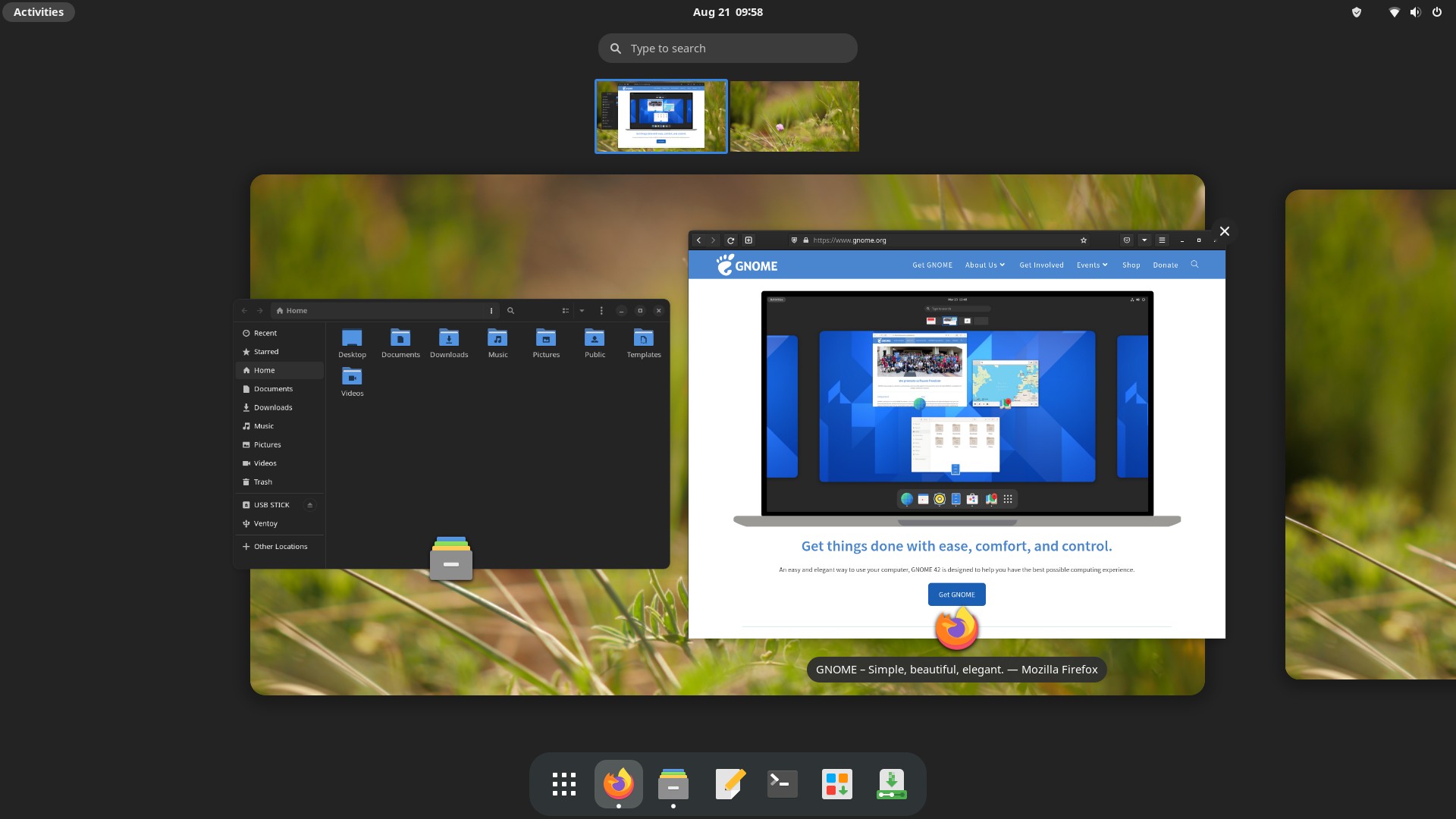
GNOME, pronounced guh-nome, is probably the most popular desktop environment and is used as the default for many distributions, most notably Debian, Ubuntu, and Fedora. Since the release of GNOME 3 back in 2011, the way this desktop environment looks and functions is unique and quite different from traditional desktops.
The goal of GNOME is to be easy to use, clutter free, and to just get out of your way. GNOME accomplishes this through a simple, minimal look and by not bombarding you with too many options or settings — more advanced functionality and configuration can be unlocked through extensions for the people who want to tinker.
As a very modern desktop environment, GNOME has many advanced features like fractional scaling for high resolution monitors, integration with online accounts like Nextcloud, one-to-one touchpad gestures, and more.
If you want a full featured desktop that is unique, simple, and gets out of your way, GNOME is a good bet.
Resource Usage: 🔵 🔵 🔵 🔵 ⚪ (Moderately Heavy)
KDE Plasma
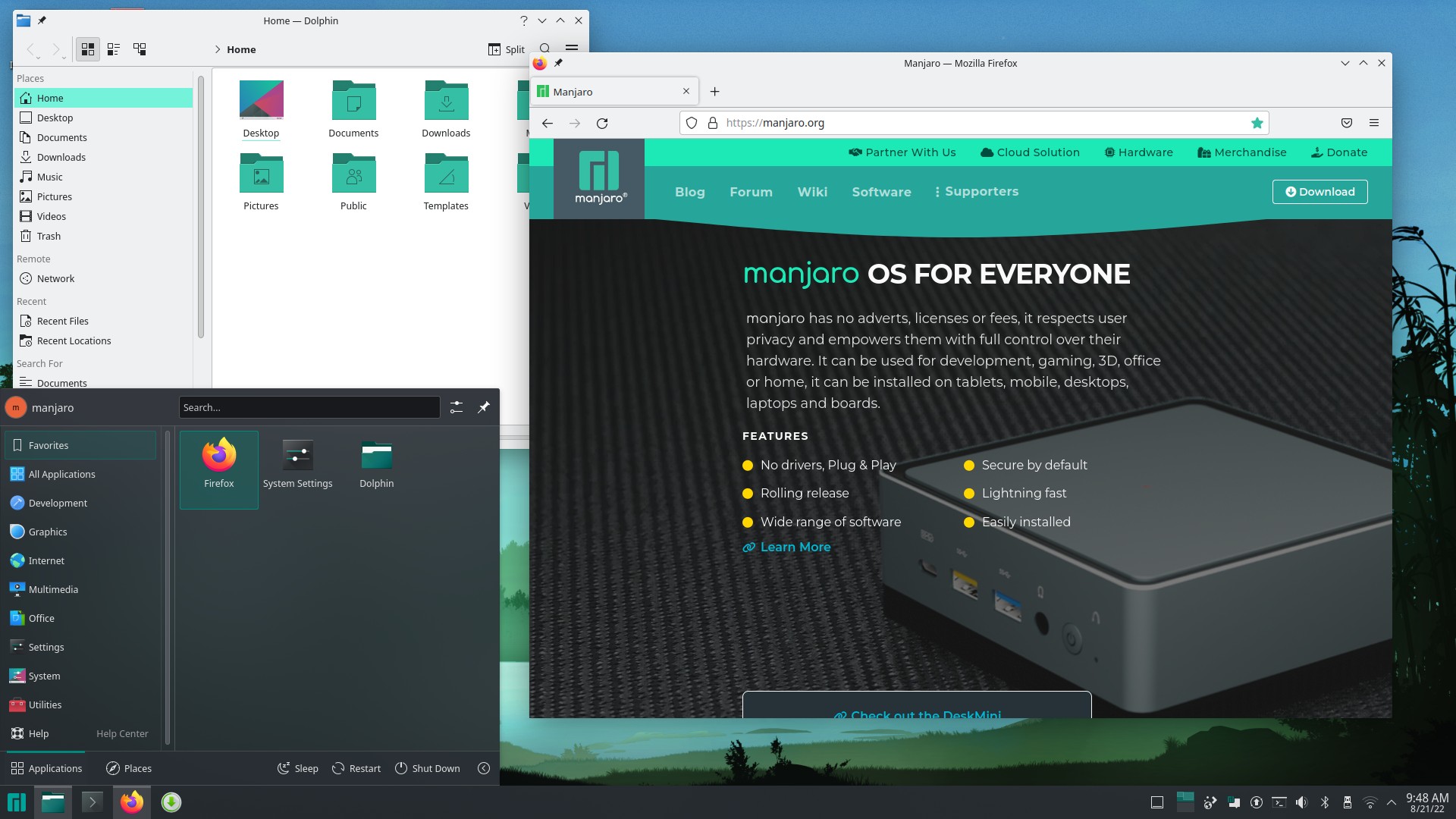
KDE Plasma is an extremely full featured desktop environment created by the KDE project and designed to be simple to use out of the box but powerful when needed.
If you want your DE to have a specific feature, act in a certain way, or have a particular look, Plasma can probably accommodate you. While Plasma looks great and functions in a familiar way out of the box, it can become anything you want it to with some tinkering and effort.
Plasma is developed at a very fast pace and is always introducing new features; however, this rapid pace of development can sometimes introduce more bugs or regressions than in slower moving, more conservative DEs.
For some users the sheer number of settings can make the DE more difficult to use but if you’re looking to use a DE that is extremely customizable and has every feature you could want, KDE Plasma is the one for you.
Resource Usage: 🔵 🔵 🔵 🔵 ⚪ (Moderately Heavy)
Cinnamon
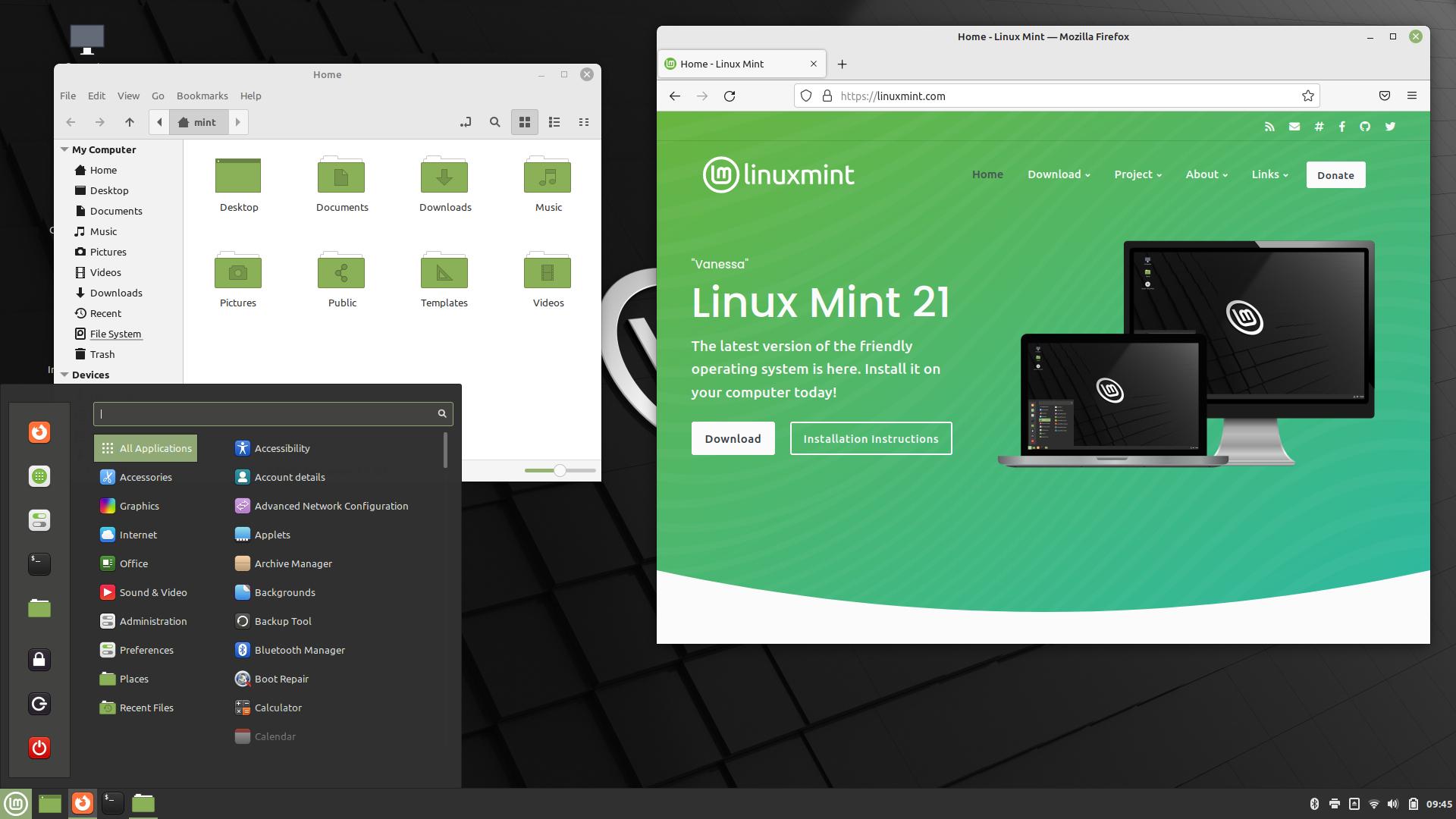
Cinnamon is the DE developed by Linux Mint but is also available on many other distributions.
Originally born when GNOME made their change from a traditional paradigm to their radically different GNOME 3, this DE has a traditional layout (a panel at the bottom, application menu, and system tray) that most users will know how to use right away. If you’re coming from Windows, Cinnamon will make you feel right at home.
Cinnamon is also filled with a ton of modern features and has a modern look. Most things you want your desktop to do; Cinnamon is capable of. It’s also very easy to theme and change the look of with its built-in theme downloader and changer.
While Cinnamon is heavier in resource usage than some more minimalist options, it can still run on quite old hardware, making it a great choice to rejuvenate a computer no longer supported by Windows or MacOS.
Want a DE that is flexible, modern, and has a familiar feel out of the box? Give Cinnamon a look.
Resource Usage: 🔵 🔵 🔵 ⚪ ⚪ (Moderate)
COSMIC
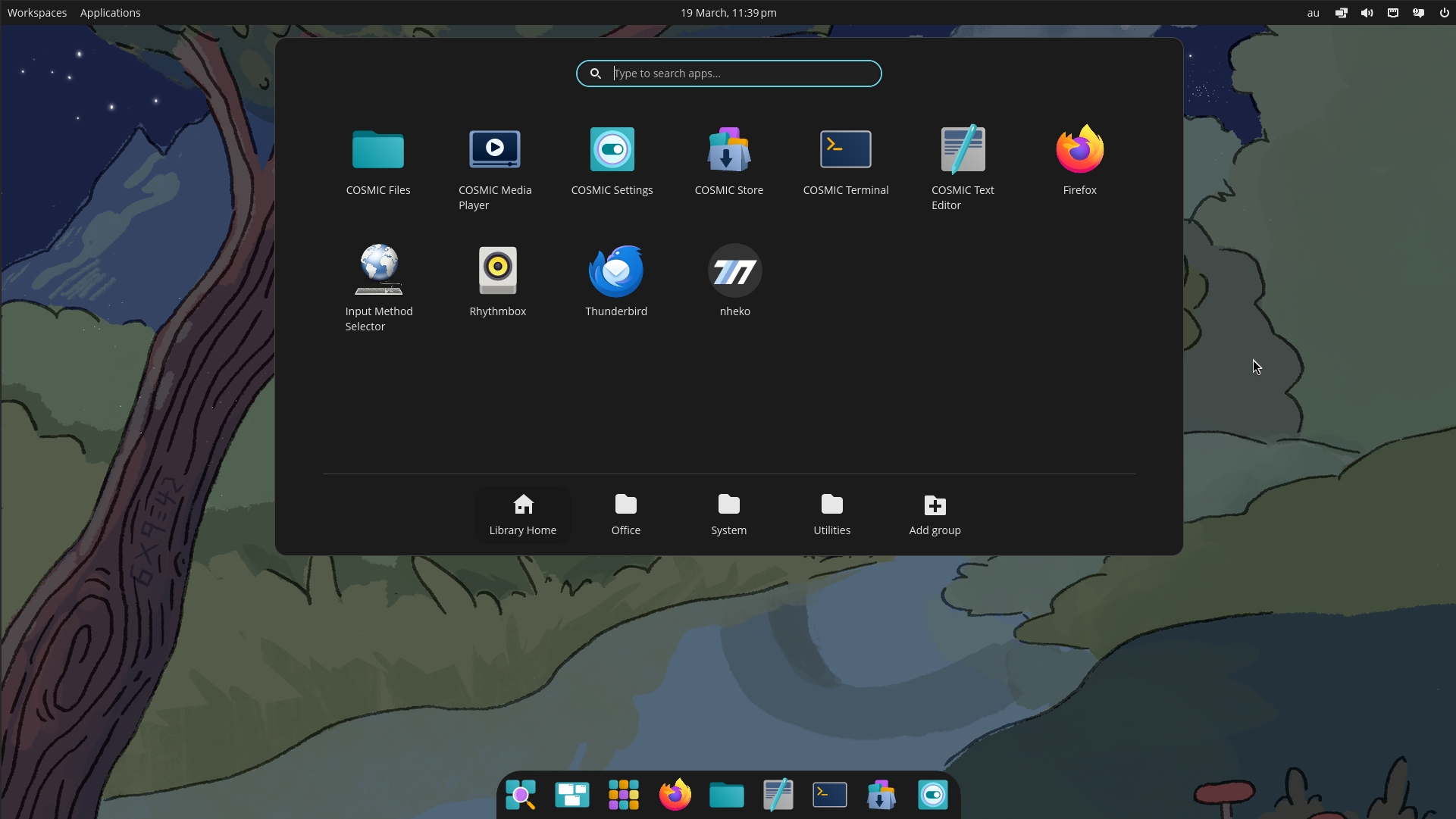
COSMIC is a modern, full-featured desktop environment developed by System76, the makers of Pop!\_OS but, like Cinnamon, it is available on other distributions as well. Built from the ground up and officially released in 2025, it represents a significant evolution in desktop design, prioritizing performance, system stability, modern features, and a polished user experience.
At its core, COSMIC is designed to be powerful, intuitive, and customizable. It features a clean, contemporary look with a traditional bottom panel layout that will feel familiar to most users, yet it incorporates advanced capabilities like built-in, automatic window tiling that can be toggled on or off.
While it ships with a sensible default configuration, almost every element can be tweaked through the settings. This balance of opinionated design and user customization means you get a cohesive experience out of the box, with the power to adjust it to your exact preferences.
If you’re looking for a fast, secure, and highly customizable desktop that embraces modern Linux technologies, COSMIC is a compelling and forward-looking choice.
Resource Usage: 🔵 🔵 🔵 ⚪ ⚪ (Moderate)
Xfce
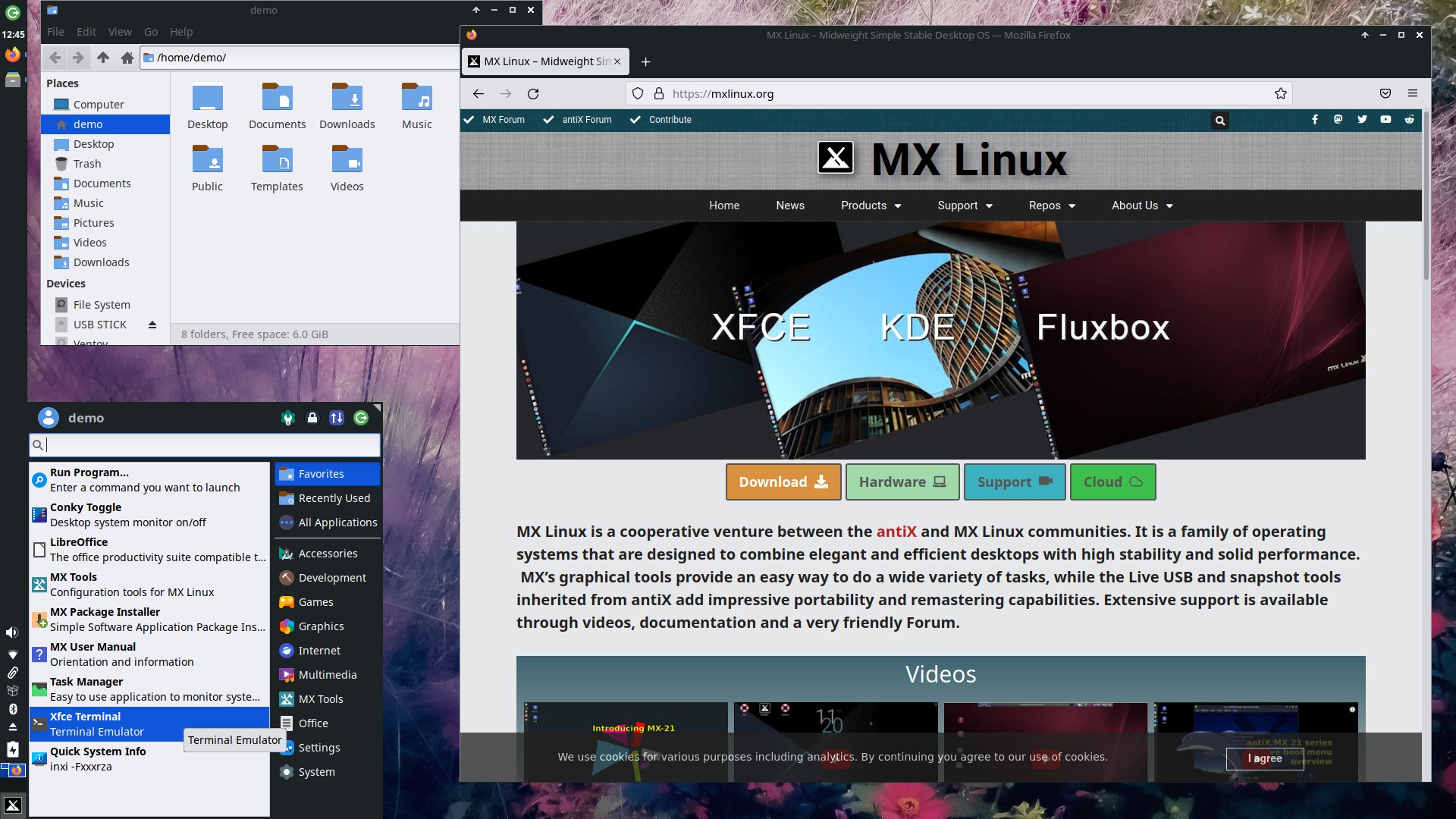
Xfce is a very lightweight DE that is great for older, less powerful hardware or for people who want their desktop to use minimal resources. This desktop is stable, reliable, and extremely customizable.
Xfce does the basics very well with a familiar and traditional feel, but it lacks some advanced features found in other desktops and has a more dated default look, which may or may not suit your tastes.
Xfce is an extremely stable desktop that moves slowly without any drastic changes. With Xfce you know what you get and it just continues to work the way you expect without any instability or surprises.
If you want one of the most customizable and performant desktop environments available and value consistency and stability, Xfce might be for you.
Resource Usage: 🔵 🔵 ⚪ ⚪ ⚪ (Light)
LXQt
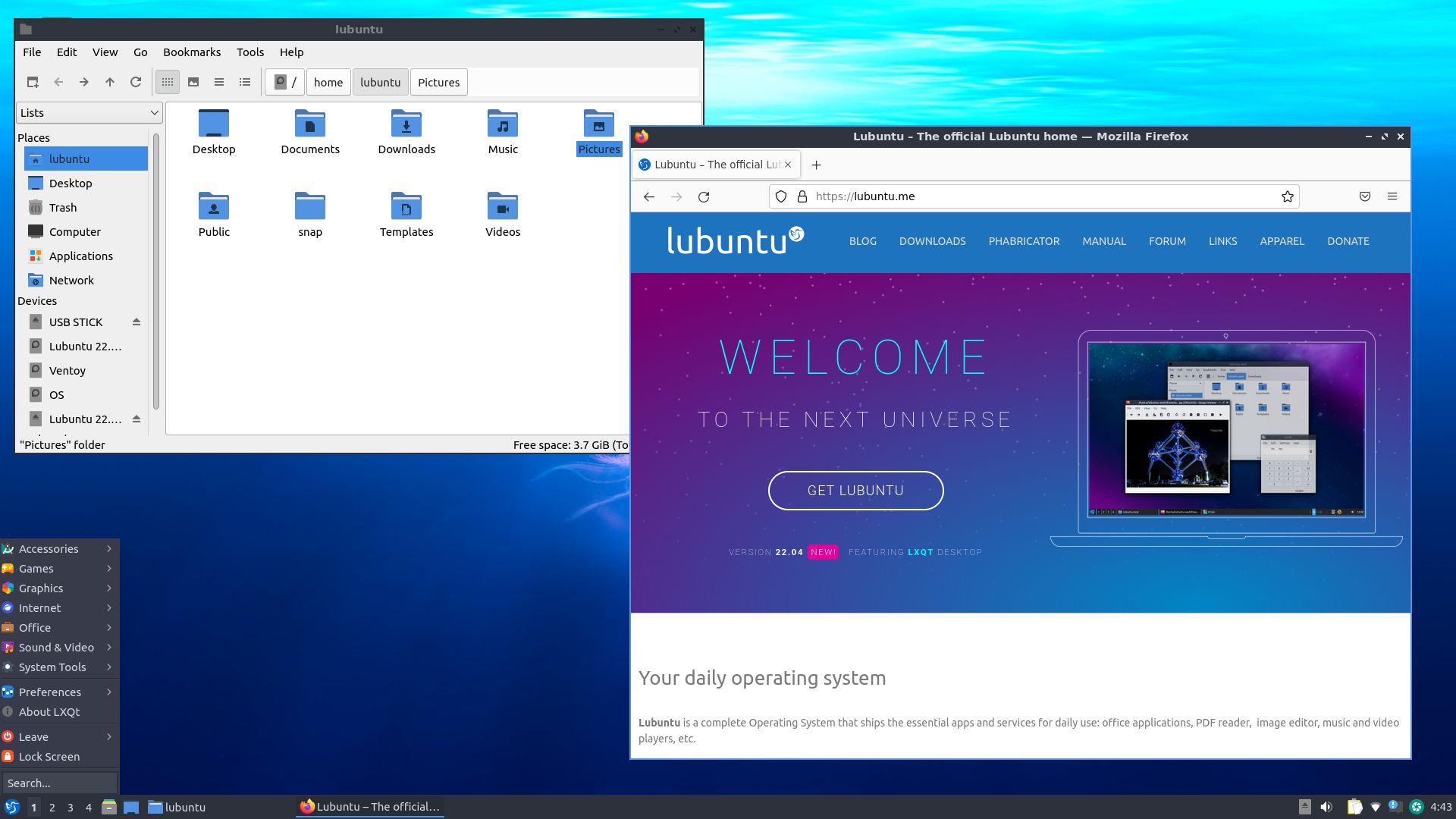
LXQt is a modern, lightweight desktop environment that aims to be both resource-friendly and visually pleasant without needing a lot of tweaking.
Customization is straightforward through its built-in settings tools, allowing you to change themes, icons, and panel behavior without overwhelming you with options. LXQt has an aim of being a classic desktop that just gets out of your way so you can get things done.
LXQt is the successor to the older LXDE project, using the modern Qt toolkit instead of GTK. This means that if you use a lot of Qt apps, such as the ones developed by the KDE project, they may fit into the look of this desktop more than a GTK desktop like Xfce.
If you’re looking for a no-fuss, traditional desktop that is light on resources but doesn’t feel dated, LXQt is an excellent option to consider.
Resource Usage: 🔵 ⚪ ⚪ ⚪ ⚪ (Very Light)
Whichever DE you decide to go with, all of the ones mentioned are very powerful and you really cannot go wrong with any on this list. Of course, if you want to explore, there are many other options you can find as well including more complex options like floating and tiling window managers.
This post is part of a series on Choosing a Linux Distro:
- Which Desktop Environment?
- Rolling or Fixed Release?
- Community-Based or Corporate-Backed?
- Which Distro?
- Mobile Edition
- Server Edition
Next in the series ➤➤ Rolling or Fixed Release?