Choosing a Linux Distro: Which Desktop Environment?
- Scott Tansowny
- Linux distributions
- September 10, 2023
Updated March 14, 2026
The look, feel, and features of your Linux distribution are greatly impacted by the desktop environment or DE that it uses. A desktop environment is basically a selection of packages that work together to give you a full, cohesive experience. Some distributions focus on a particular DE while others make using any of them easy. To help with the decision of which DE to use I will briefly describe my top picks and some pros and cons of each.
Table of Contents
GNOME
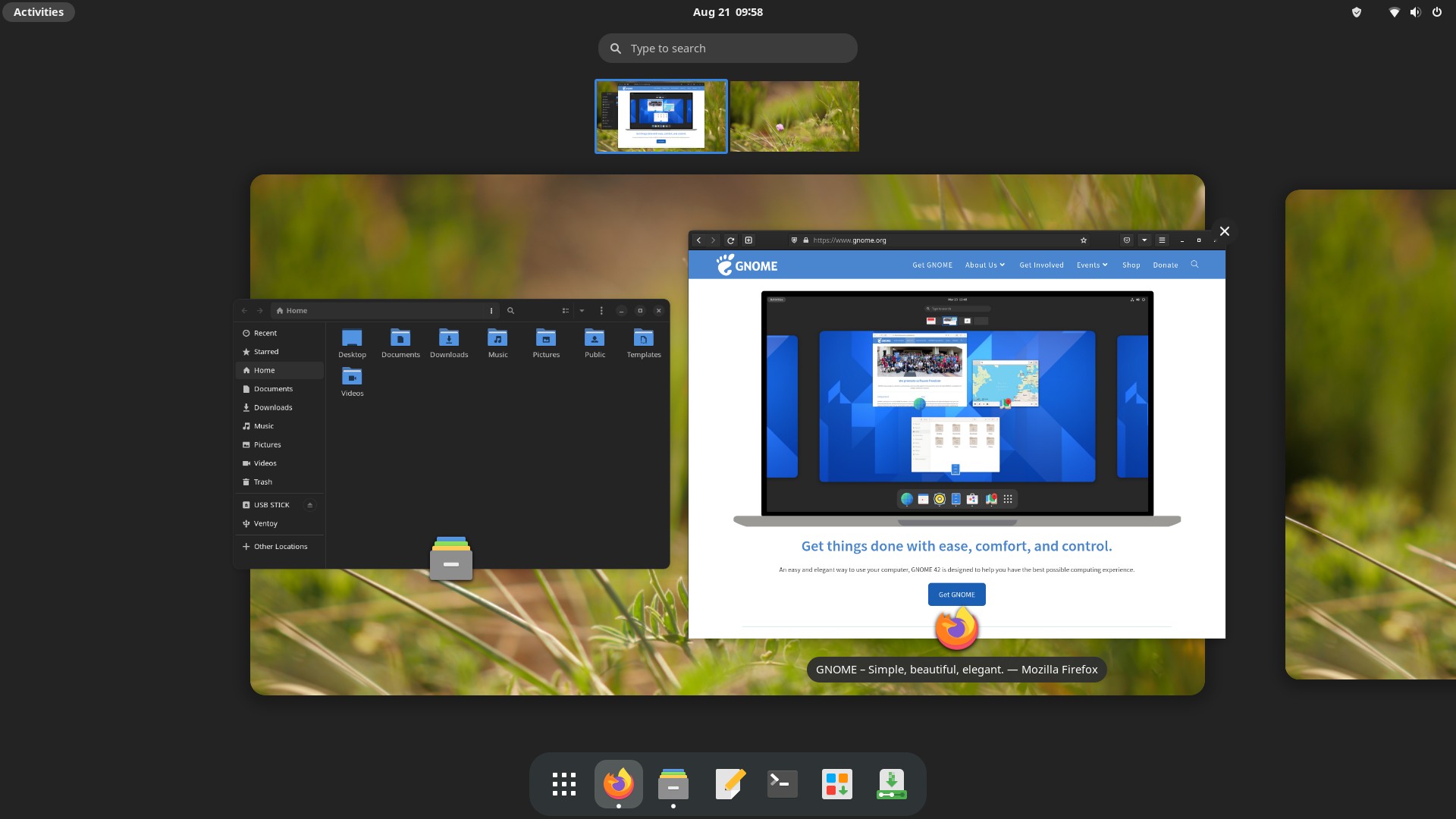
GNOME, pronounced guh-nome, is probably the most popular desktop environment and is used as the default for many distributions, most notably Debian, Ubuntu, and Fedora. Since the release of GNOME 3 back in 2011, the way this desktop environment looks and functions is unique and quite different from traditional desktops.
The goal of GNOME is to be easy to use, clutter free, and to just get out of your way. GNOME accomplishes this through a simple, minimal look and by not bombarding you with too many options or settings—more advanced functionality and configuration can be unlocked through extensions for the people who want to tinker.
As a very modern desktop environment, GNOME has many advanced features like fractional scaling for high resolution monitors, integration with online accounts like Nextcloud, one-to-one touchpad gestures, and more.
If you want a full featured desktop that is unique, simple, and gets out of your way, GNOME is a good bet.
Resource Usage: 🔵 🔵 🔵 🔵 ⚪ (Moderately Heavy)
KDE Plasma
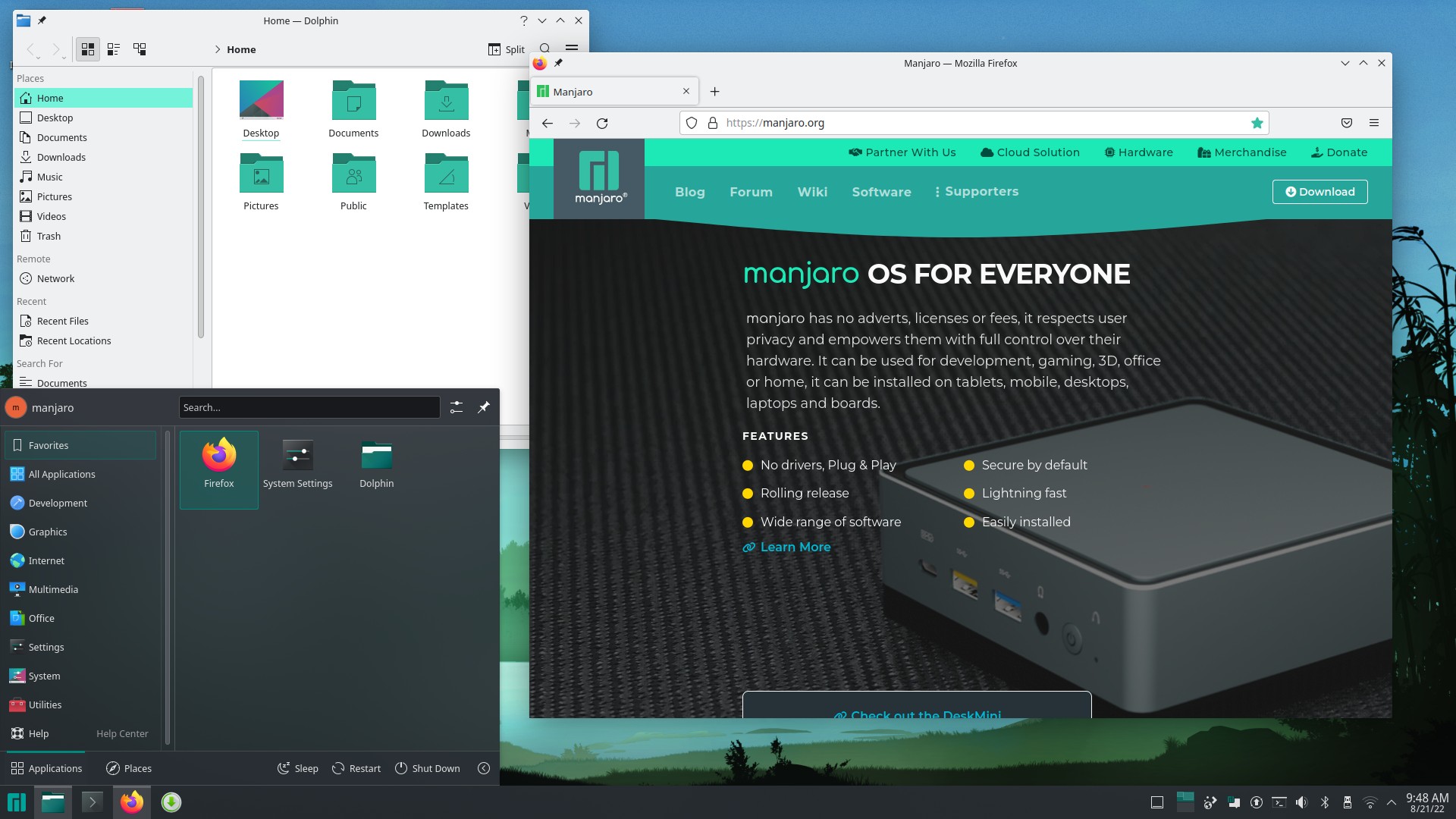
KDE Plasma is an extremely full featured desktop environment created by the KDE project and designed to be simple to use out of the box but powerful when needed.
If you want your DE to have a specific feature, act in a certain way, or have a particular look, Plasma can probably accommodate you. While Plasma looks great and functions in a familiar way out of the box, it can become anything you want it to with some tinkering and effort.
Plasma is developed at a very fast pace and is always introducing new features; however, this rapid pace of development can sometimes introduce more bugs or regressions than in slower moving, more conservative DEs.
For some users the sheer number of settings can make the DE more difficult to use but if you’re looking to use a DE that is extremely customizable and has every feature you could want, KDE Plasma is the one for you.
Resource Usage: 🔵 🔵 🔵 🔵 ⚪ (Moderately Heavy)
Cinnamon
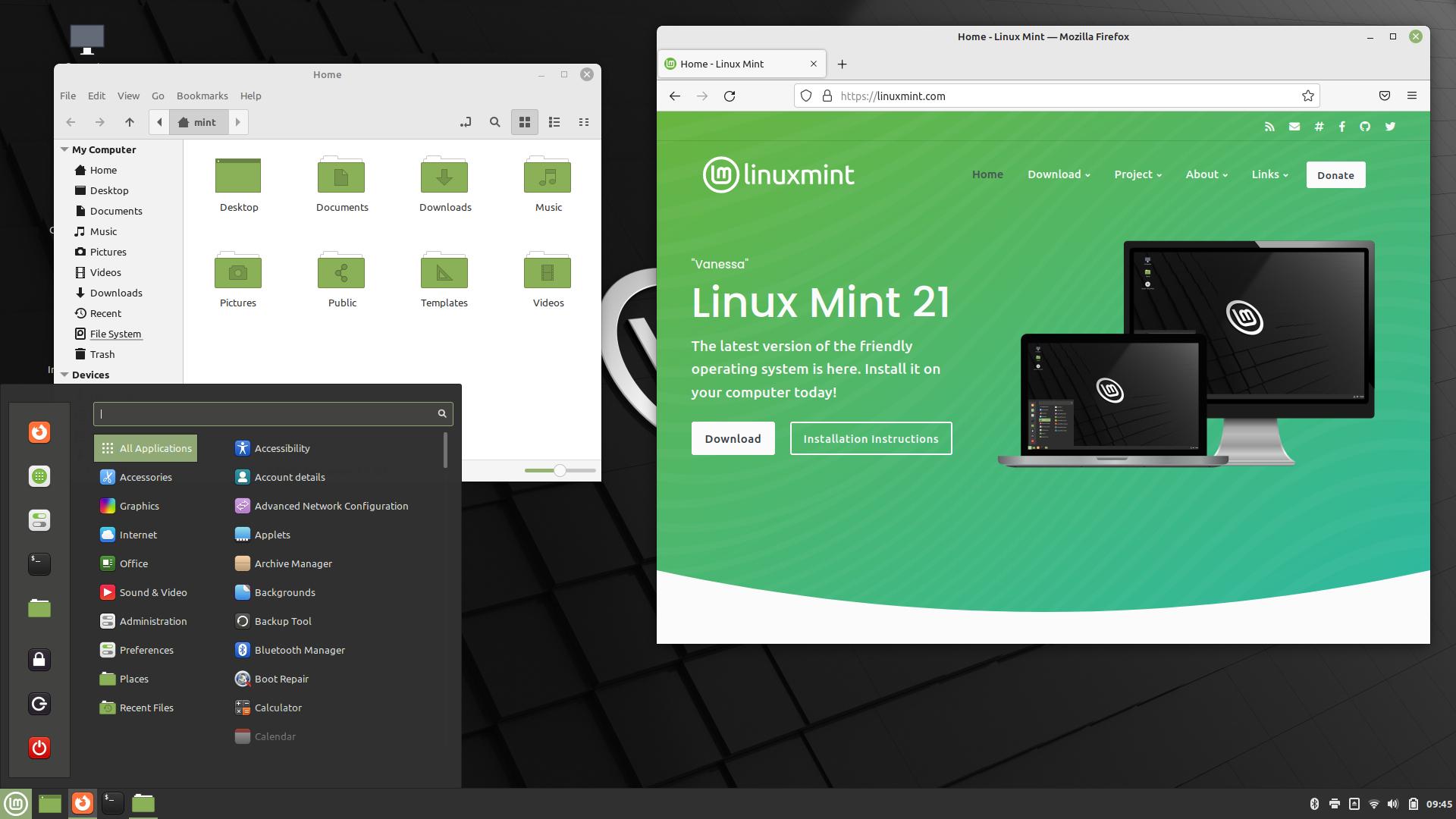
Cinnamon is the DE developed by Linux Mint but is also available on many other distributions.
Originally born when GNOME made their change from a traditional paradigm to their radically different GNOME 3, this DE has a traditional layout (a panel at the bottom, application menu, and system tray) that most users will know how to use right away. If you’re coming from Windows, Cinnamon will make you feel right at home.
Cinnamon is also filled with a ton of modern features and has a modern look. Most things you want your desktop to do; Cinnamon is capable of. It’s also very easy to theme and change the look of with its built-in theme downloader and changer.
While Cinnamon is heavier in resource usage than some more minimalist options, it can still run on quite old hardware, making it a great choice to rejuvenate a computer no longer supported by Windows or MacOS.
Want a DE that is flexible, modern, and has a familiar feel out of the box? Give Cinnamon a look.
Resource Usage: 🔵 🔵 🔵 ⚪ ⚪ (Moderate)
COSMIC
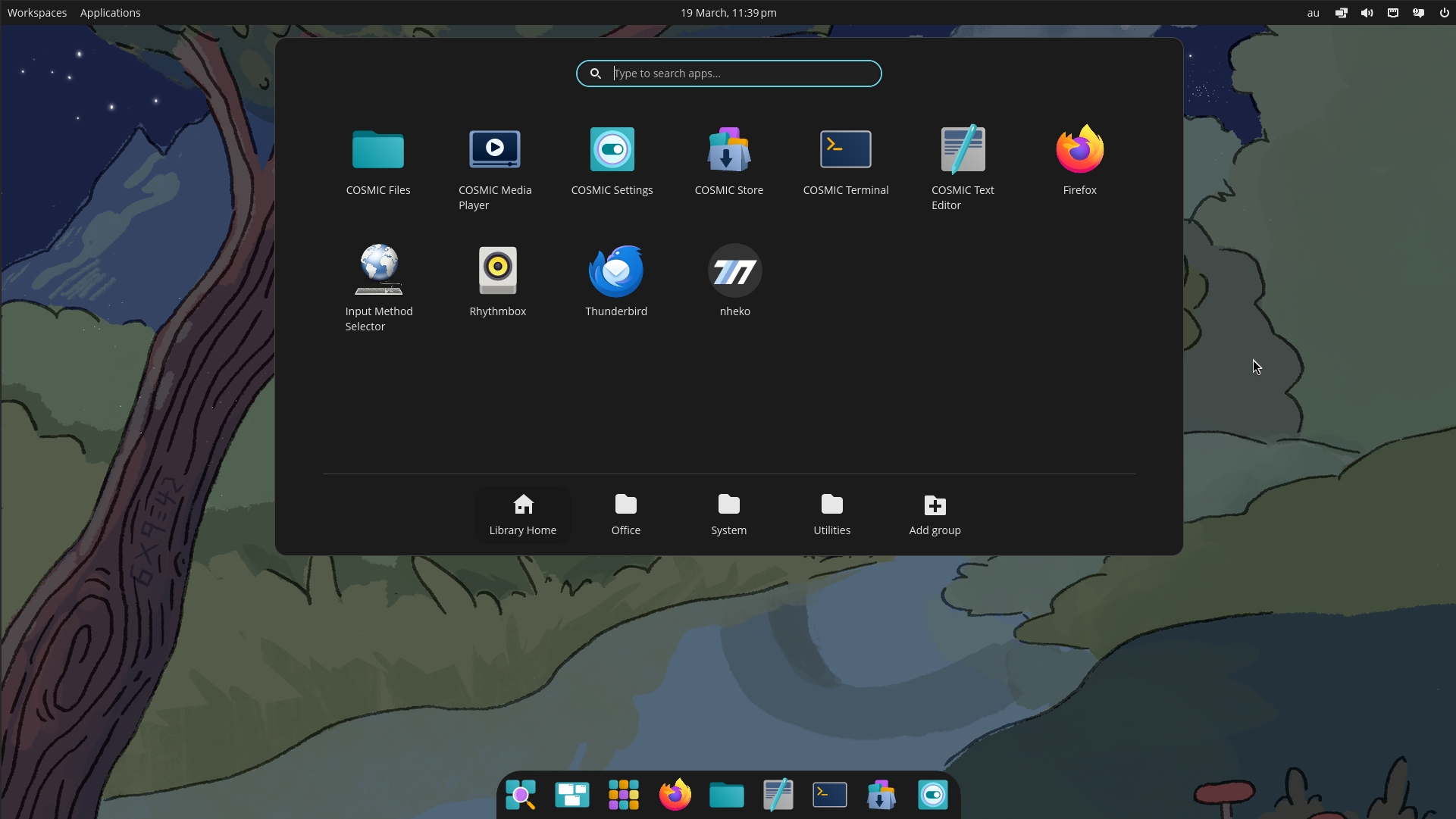
COSMIC is a modern, full-featured desktop environment developed by System76, the makers of Pop!\_OS but, like Cinnamon, it is available on other distributions as well. Built from the ground up and officially released in 2025, it represents a significant evolution in desktop design, prioritizing performance, system stability, modern features, and a polished user experience.
At its core, COSMIC is designed to be powerful, intuitive, and customizable. It features a clean, contemporary look with a traditional bottom panel layout that will feel familiar to most users, yet it incorporates advanced capabilities like built-in, automatic window tiling that can be toggled on or off.
While it ships with a sensible default configuration, almost every element can be tweaked through the settings. This balance of opinionated design and user customization means you get a cohesive experience out of the box, with the power to adjust it to your exact preferences.
If you’re looking for a fast, secure, and highly customizable desktop that embraces modern Linux technologies, COSMIC is a compelling and forward-looking choice.
Resource Usage: 🔵 🔵 🔵 ⚪ ⚪ (Moderate)
Budgie
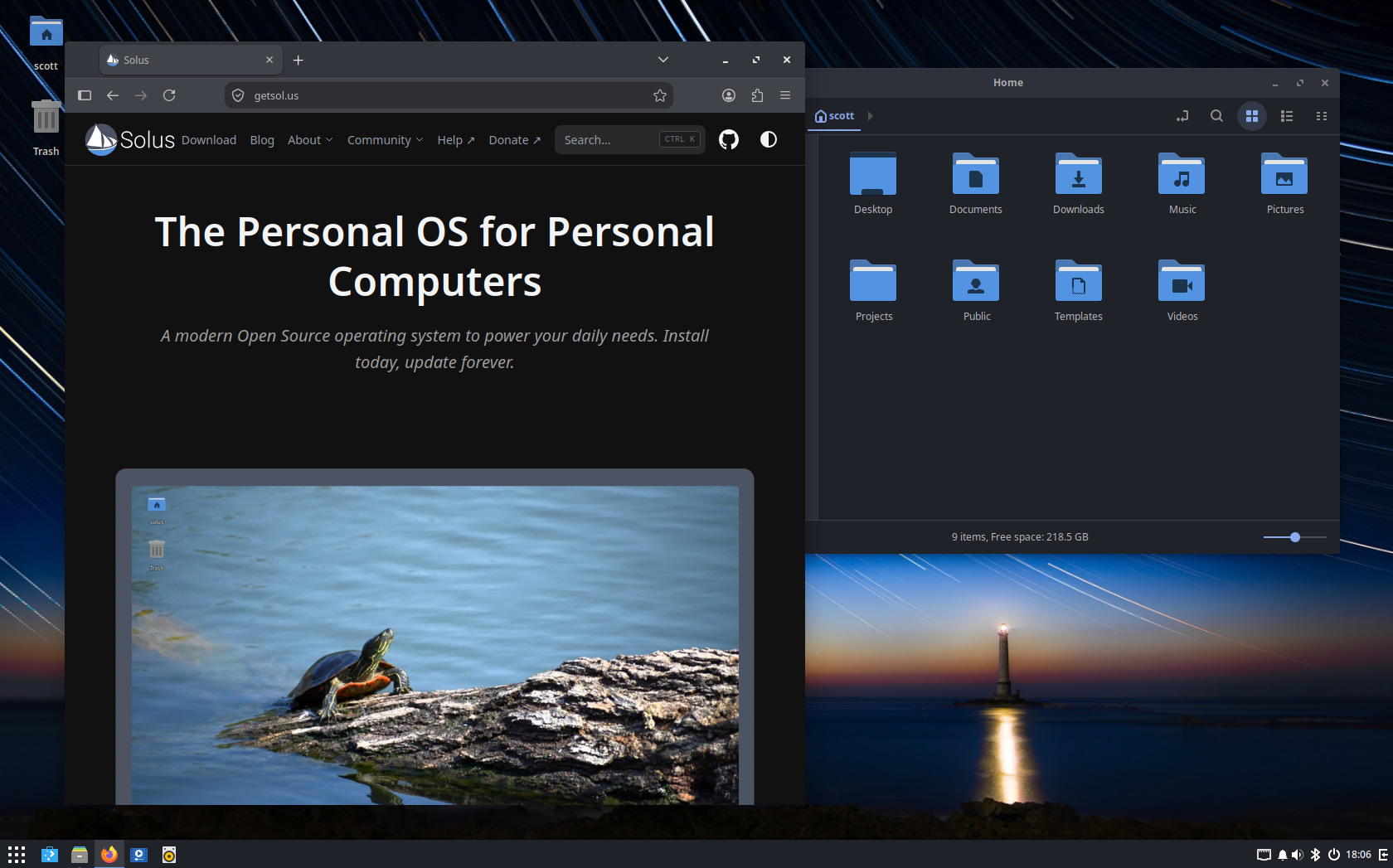
Budgie is a modern desktop environment that started life as the flagship desktop for the Solus distribution. Created by Solus founder Ikey Doherty and first released in 2014, Budgie has since spread across the Linux ecosystem and is now available on many other distributions, including an official spin on Fedora and an official Ubuntu flavour. In January 2022, Budgie became an independent project under the newly formed Buddies of Budgie organization.
What makes Budgie special is how it blends the polish and minimalism of GNOME with the rich customizability of KDE Plasma. By default, Budgie looks clean and minimal with a Windows 7-like layout, but it can be extensively tweaked by adding panels on all four edges of your screen and populating them with applets.
Budgie’s standout feature is the Raven sidebar—a panel that slides in from the screen edge. Raven provides an all-in-one center for accessing your notifications, setting system and application volume, viewing a calendar, and controlling media playback. It perfectly fits into full-window workflows, allowing you to quickly peek at useful information while immersed in your work.
If you’re looking for a desktop that is light on resources, has a modern style, and gives you a traditional desktop paradigm, Budgie is a star contender.
Resource Usage: 🔵 🔵 ⚪ ⚪ ⚪ (Light)
Xfce
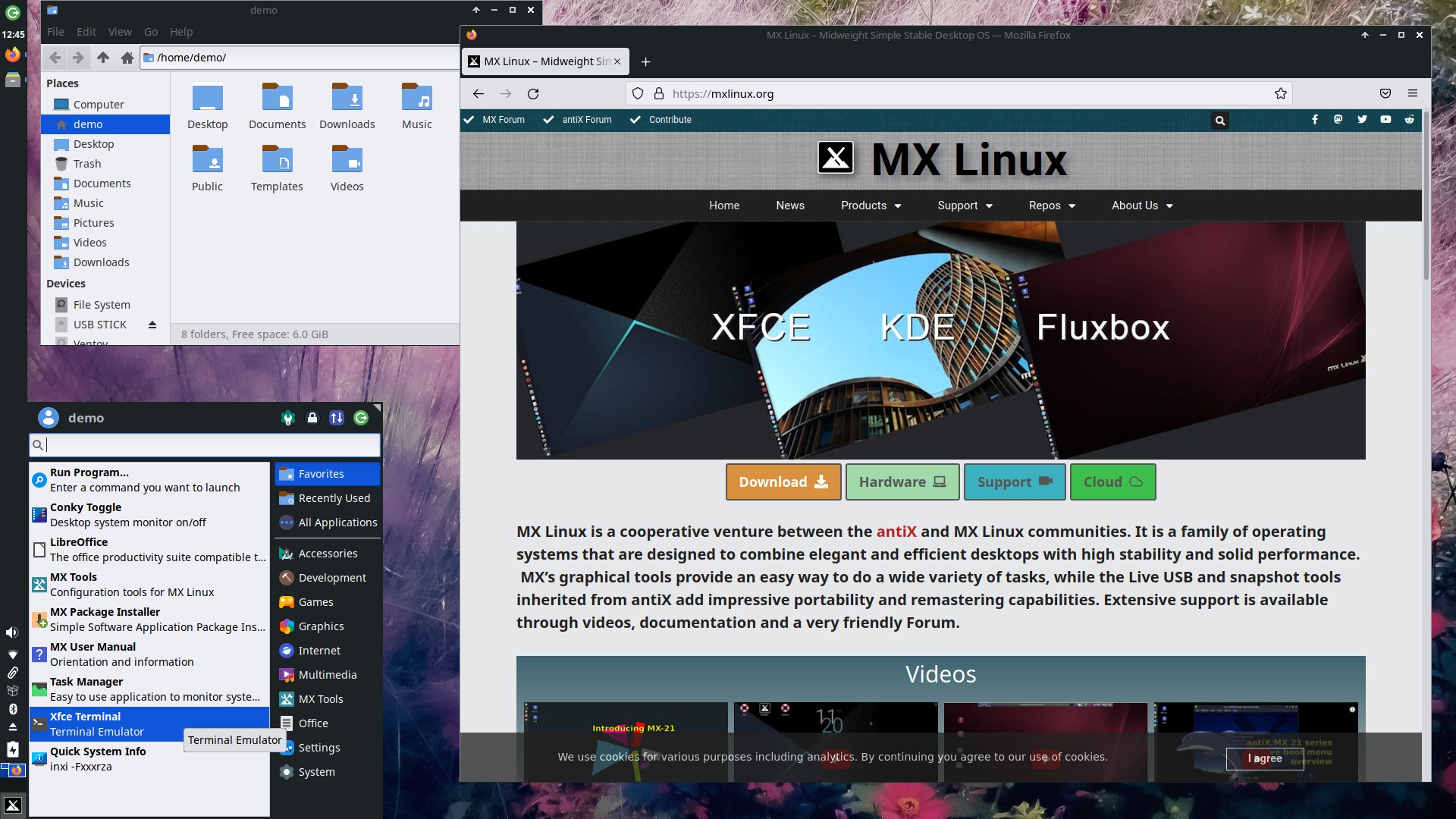
Xfce is a very lightweight DE that is great for older, less powerful hardware or for people who want their desktop to use minimal resources. This desktop is stable, reliable, and extremely customizable.
Xfce does the basics very well with a familiar and traditional feel, but it lacks some advanced features found in other desktops and has a more dated default look, which may or may not suit your tastes.
Xfce is an extremely stable desktop that moves slowly without any drastic changes. With Xfce you know what you get and it just continues to work the way you expect without any instability or surprises.
If you want one of the most customizable and performant desktop environments available and value consistency and stability, Xfce might be for you.
Resource Usage: 🔵 ⚪ ⚪ ⚪ ⚪ (Very Light)
Want a Hand With Your Setup?
Choosing a distro is step one—getting everything running smoothly and keeping it that way is another story. I help people build, secure, and maintain Linux systems that are private, sustainable, and truly their own.
Take a look at my support plans →
This post is part of a series on Choosing a Linux Distro:
- Which Desktop Environment?
- Rolling or Fixed Release?
- Community-Based or Corporate-Backed?
- Which Distro?
- Mobile Edition
- Server Edition
- The Cuts
Next in the series ➤➤ Rolling or Fixed Release?