Choosing a Linux Distro: Which Distro?
- Scott Tansowny
- Linux distributions
- August 20, 2024
Updated September 23, 2026
So, you have decided to install Linux and need to choose a distribution (distro). Or maybe you’re already a Linux user and you’re just looking to try out something new. Either way, with hundreds of different Linux distros available, the choice can be daunting, as each one offers its own unique set of advantages and trade-offs.
I’ve been using Linux for over twenty years across desktops, servers, and mobile devices. My daily drivers are Arch Linux and Fedora Atomic on laptops and desktops, giving me cutting-edge features; Alpine and Fedora CoreOS on servers, where I prioritize simplicity and security above all else; and /e/OS on my phone, giving me an open, degoogled experience. This guide takes that hands-on experience and creates a framework to help you find the best distro for your needs.

Table of Contents
Considerations
There are a few considerations you should think about when choosing a Linux distribution:
The look and feel of the distro
Do you like how the distro looks and the workflow it presents to you? This factor depends a lot on the DE (desktop environment) the distribution uses. You might want to take a look at “Choosing a Linux Distro: Which Desktop Environment?” to help with this.
The philosophy of the distribution and who is backing it
Do you prefer a more grassroots distro developed by the community or a distro with the financial and development backing of a corporation? Either one of these has advantages and trade-offs. Often a community-based distribution will make choices based on what the user base wants whereas a corporate based distro will make choices on what is best for their business model. On the other hand, a corporate based distro can have more development resources behind it ensuring active development will continue. Check out my article, “Choosing a Linux Distro: Community-Based or Corporate-Backed?” to learn more about this.
Release cycle and update philosophy
Do you like a distro that stays the same and is reliable day in and day out like Debian or one that is constantly changing and providing all of the newest software and features like Arch Linux? Read “Choosing a Linux Distro: Rolling or Fixed?” to learn more about fixed vs rolling release distros.
What to choose
With hundreds of Linux distributions available to install, I have compiled some recommendations to help you with your choice. Whether you are just getting into Linux for the first time or are an experienced vet looking for something new, there should be an option for you on this list.
Top 5 Picks
These are my five picks that I would recommend to most people asking, “Which distro should I pick?”
Linux Mint

Founded: Ireland (2006)
Based on: Ubuntu LTS, Debian (LMDE version)
Desktop environment(s): Cinnamon (flagship), MATE, Xfce
Backed by: community
Release cycle: fixed release; 6 months
Support: 5 years
Homepage: https://www.linuxmint.com
Difficulty level: 🔵 ⚪ ⚪ ⚪ ⚪ (very beginner friendly)
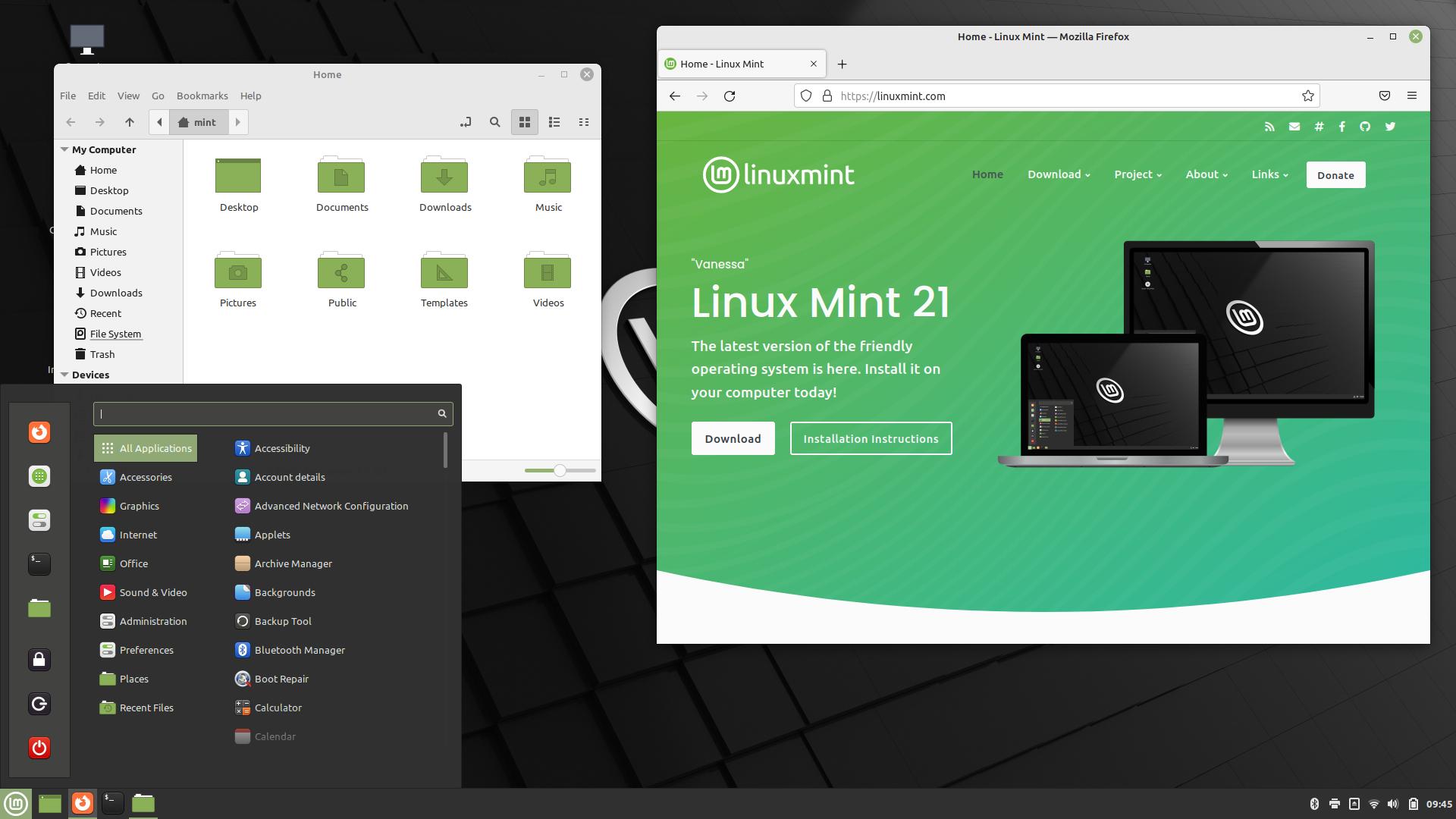
Linux Mint was originally made as Ubuntu “done right” by including multimedia codecs and support for proprietary software and drivers out-of-the-box. Over time it evolved to be a very different project than Ubuntu with different visions and philosophies.
Community, community, community!
Mint is a community distro that has a reputation for really listening to its users, making changes that the community supports, and even reverting changes that the community doesn’t like. Whether it is something large like desktop functionality or even something as simple as the default icon selection, Linux Mint has repeatedly shown that it listens closely to its users.
Look familiar to anyone?
The flagship edition uses the Cinnamon desktop, packing in a ton of features while still being very performant. Linux Mint also develops versions with the MATE and Xfce desktop environments which are lighter weight options for less overhead and older hardware. All three of Mint’s variants have a similar look and feel with a panel at the bottom, menu on the bottom left, and system tray on the bottom right that is going to be very familiar to anyone accustomed to Windows. This tried and true setup makes for an easy transition for new users to Linux and is a logical setup for many Linux veterans.
It works!
Linux Mint really does “just work”. Software is easy to install, update, and manage; services like printing and Bluetooth work out-of-the-box; and any administrative tasks can be done with graphical tools. Linux Mint gives the user a complete experience that works well with all of the tools the average user needs right at their fingertips. Video drivers are a breeze to install and if you need the latest Linux kernel for newer hardware they even have an Edge edition that gives you just that.
Stability!
Linux Mint is a very stable distribution; it is based off of Ubuntu LTS or Debian (for the LMDE version) and brings the stability and reliability of those distributions with it. On top of that, the Timeshift utility is preinstalled and easy to configure to allow you to easily roll your system back to a previous state if something goes wrong. Linux Mint also includes an easy way to install upgrades to the new version seamlessly.
If you want a “just works” distro that you’ll pick up on right away, you can’t do a whole lot better than Linux Mint.
Pros
- It just works: it’s stable and extremely easy to use
- If you’re coming from Windows, the default layout will be an easy transition
- Developers respond to the feedback of the community and shape the distro accordingly
Trade-offs
- Being based on LTS versions of Ubuntu, software versions are older
- Default configuration has a lot of software installed and services running
Solus

Founded: Ireland (2015)
Based on: independent
Desktop environment(s): Budgie (flagship), GNOME, KDE Plasma, Xfce
Backed by: community
Release cycle: rolling
Support: rolling
Homepage: https://getsol.us
Difficulty level: 🔵 🔵 ⚪ ⚪ ⚪ (beginner-friendly)
The founder of Solus, Ikey Doherty, chose a stylized sailboat as the logo for Solus to represent the idea of “new horizons” and “open sails”—a fitting metaphor for a project that set out to chart its own course in the Linux world. That course is an independent, curated rolling release distribution that prioritizes a polished user experience. The result is a rolling distribution with an eye on design that feels both modern and reliable.
Smooth sailing
Solus takes the concept of a rolling distribution and makes it a smooth experience. Updates are tested before release to ensure stability meaning you get the latest software and drivers without the high risk of breakage. Updates are simple in the terminal with eopkg (Solus’ own package manager), but are also made easy with the integration of Discover (a versatile graphical software manager made by KDE) giving users a graphical way to update their system—something not always present in a rolling distribution.
All hands on deck
Solus nearly disappeared in 2023. Its infrastructure collapsed, its founder had left, and its future was uncertain. But the community rallied and new leadership stepped up. The infrastructure was rebuilt on a robust multi-cloud architecture, and the project has delivered consistent, polished releases ever since. Strong releases and a friendly, active community have proven that Solus is back as strong as ever with a clear future ahead. Today, Solus represents what happens when a community refuses to let a great distribution fade away.
Flagship for Budgie
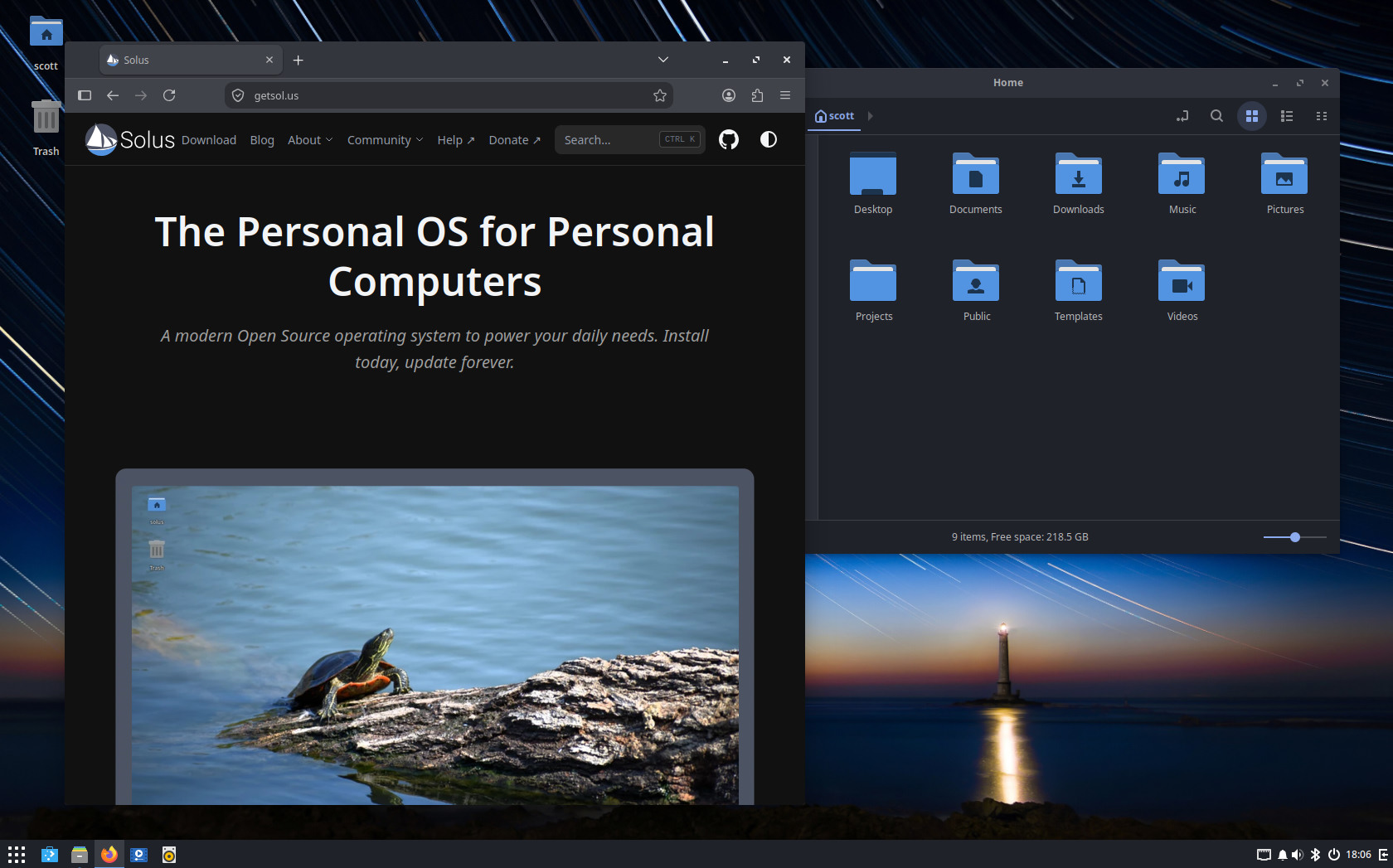
Solus is the flagship distribution for the Budgie desktop environment, a lightweight but modern desktop environment. Budgie offers a clean, intuitive interface that keeps to the paradigm of traditional desktops—a panel at the bottom, a well-organized menu, and a system tray that just works—while also including modern features and aesthetics. It’s not as customizable as KDE Plasma, nor as minimalist as GNOME, but it hits a sweet spot between simplicity and functionality.
Shipshape
Solus ships with a carefully curated selection of wallpapers, well-chosen default applications, an excellent default theme, and a dark mode that’s enabled by default. It’s not a “minimalist, build-it-yourself” distro—it’s a complete, ready-to-use experience that feels like it was designed by people who care about both aesthetics and usability. For a user, this means less time tweaking and more time using.
A welcoming crew
The Solus community is friendly and active, with an official forum and Discord server where users and developers collaborate. While smaller than some mainstream distros, the community is dedicated and responsive—a good fit for users who want help without getting lost in the noise.
If you want a rolling release that’s modern, polished, and surprisingly beginner-friendly, let Solus take the helm.
Pros
- Curated rolling release balances freshness with stability
- Budgie desktop is lightweight, modern, and intuitive
- Polished out-of-the-box experience with excellent defaults
- Excellent package management with graphical tools
Trade-offs
- Smaller repository than larger distros
- Smaller community than mainstream distros
- Past turbulence may raise concerns about long-term stability
Debian

Founded: United States (1993)
Based on: independent
Desktop environment(s): most available
Backed by: community
Release cycle: fixed release; two years
Support: 5 years
Homepage: https://www.debian.org
Difficulty level: 🔵 🔵 🔵 ⚪ ⚪ (intermediate)
Debian is one of the oldest still developed Linux distros and is both widely used and widely trusted. You’ll find Debian on everything from servers around the world to computers on the International Space Station. One of the main reasons for Debian’s success and wide adoption in these applications is its stability.
Rock solid stable
Debian is extremely reliable because of the philosophy of the Debian developers; packages are patched for security and critical bugs but not upgraded for features until the next version comes out. What this means is that for the two or more years you are using one version of Debian, it will be very unlikely for your operating system to break or change. Each version has 5 years of updates so even when the new version comes out you can take your time upgrading, ensuring a stable, consistent experience.
Older packages
Because of Debian’s philosophy on stability, your software will stay on older versions and you won’t get the latest and greatest features; you’ll have to wait for the next major version for feature upgrades. While this can be mitigated with some other packaging formats such as Flatpak or Snap, packages like your desktop environment will be older. If you want the newest features as they come out, Debian may not be the best option. As well, if you have brand new, just released hardware, the older Linux kernel on Debian may not support it making Debian not an option for you.
Easy-ish to use
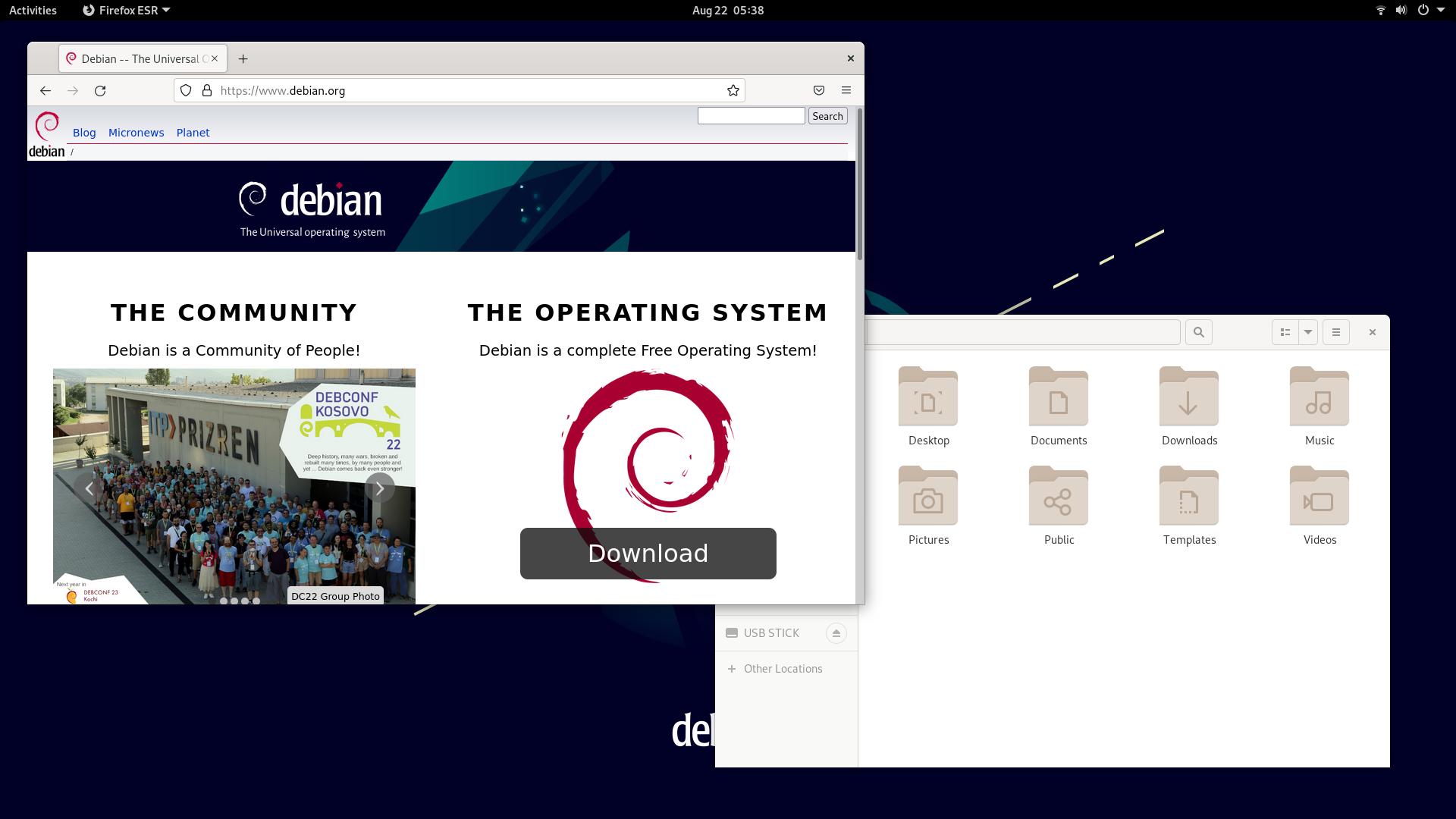
Debian is not quite as simple to install and configure as some other distros on this list but, because of its stability, Debian is very easy to maintain once you have everything configured. Installing a variety of different desktop environments is quite simple on Debian; when you are installing the distro, you simply choose the DE you want. Package availability is excellent on Debian with most software you will want available in the software repositories and other software available through Flatpak or Snap.
The universal operating system
Debian describes itself as “the universal operating system” and for good reason. Debian will run on almost anything; it makes a great operating system for very old hardware with old or obscure architectures yet works great on modern hardware as well.
Debian has some downsides but really is one of the very best Linux distributions available.
Pros
- Huge software repository
- Unmatched reliability and stability
- Adaptable: can be installed on virtually any type of hardware and with any DE
Trade-offs
- Older software versions
- May be a more difficult option for someone completely new to Linux
Fedora Atomic Desktops

Founded: United States (2018)
Based on: Independent
Desktop environment(s): GNOME (Silverblue), KDE Plasma (Kinoite), COSMIC, Budgie, Sway
Backed by: corporation (Red Hat)
Release cycle: fixed release; approximately 6 months
Support: 13 months
Homepage: https://fedoraproject.org/atomic-desktops/
Difficulty level: 🔵 🔵 🔵 ⚪ ⚪ (intermediate)
Fedora Atomic Desktops represent a paradigm shift in desktop Linux. Fedora Atomic is an image based operating system that prioritizes reliability, reproducibility, and a modern container-focused workflow.
The atomic future
Fedora Atomic provides a different workflow, representing a compelling and modern approach to desktop Linux. Sometimes referred to as immutable distributions or image based, in this type of system, the core operating system is locked down and becomes a read-only image that is updated on reboot as a single, reliable unit. This virtually eliminates the possibility of a broken system from a bad update. With Fedora Atomic, applications are installed in containers separate from the OS, keeping the main system untouched; similar to how Android works on mobile. While still new and not without some problems and headaches, this model is being heavily developed and, in my opinion, is both ready to use as a daily OS, and quite possibly the future of Linux desktop.
Unbreakable by design
The core system is a read-only image updated atomically. Updates are downloaded as a new system image and applied seamlessly on reboot. If something goes wrong, you can roll back to the previous image instantly from the boot screen. This makes the OS exceptionally robust and nearly impossible to break through normal use or updates.
Apps stay separate from the system
Fedora Atomic encourages Flatpaks for graphical applications. That means most of your software—browsers, office suites, media players, games—is sandboxed and updated independently from the base OS. The system stays clean, predictable, and less vulnerable to dependency conflicts. For terminal apps Homebrew can be used to accomplish a similar thing, giving you terminal and TUI applications that do not interfere with the stability of the base system.
Toolbx for developers
For terminal work and development, Fedora Atomic typically uses Toolbx (or Distrobox) to create isolated containers where you can install any packages you like without touching the host system. Need a specific Python version, a bleeding-edge Node toolchain, or just tools you want to have on your system temporarily? Spin up a container, work inside it, and throw it away when you’re done. It’s a genuinely modern workflow that keeps your main system clean.
A mindset shift
The atomic model requires a shift in mindset. Installing traditional RPM packages is possible via “layering” but this can be complicated for new users and overusing this can reduce the stability benefits. Some hardware or drivers that require deep system integration may need extra steps to set up as well. Once set up, however, maintenance is a breeze—the system just keeps on working.
Not ready for atomic?
If the immutable model of Fedora Atomic Desktops feels too restrictive or you simply prefer a more traditional Linux experience, Fedora Workstation is the same cutting-edge Fedora foundation in a familiar, non-atomic package. You get the same recent kernels, same desktops (with more available), and same commitment to open-source innovation—but with a standard package manager (dnf) where you can install software directly onto the system without layering or containers. It’s the perfect alternative if you want Fedora’s freshness without the paradigm shift.
If you want a forward-looking, container-friendly desktop that makes breakage a thing of the past, Fedora Atomic is a compelling choice. And with a large variety of desktop environments available, whatever look and feel you want, there’s an atomic Fedora variant that fits.

Pros
- Atomic updates and trivial rollbacks
- Excellent container-based development workflow with Toolbx/Distrobox
- Fresh kernel and large open-source focus
- Once set up requires minimal to no maintenance
Trade-offs
- Conceptual learning curve: “installing software” works differently
- Layering traditional packages can be cumbersome
- Some third-party drivers may need manual setup
Arch Linux

Founded: Canada (2002)
Based on: independent
Desktop environment(s): most available
Backed by: community
Release cycle: rolling
Support: rolling
Homepage: https://archlinux.org
Difficulty level: 🔵 🔵 🔵 🔵 ⚪ (advanced)
Arch Linux is a rolling release distribution that is not as easy to use as others but works well with its “keep it simple” philosophy.
Keep it simple, some assembly required
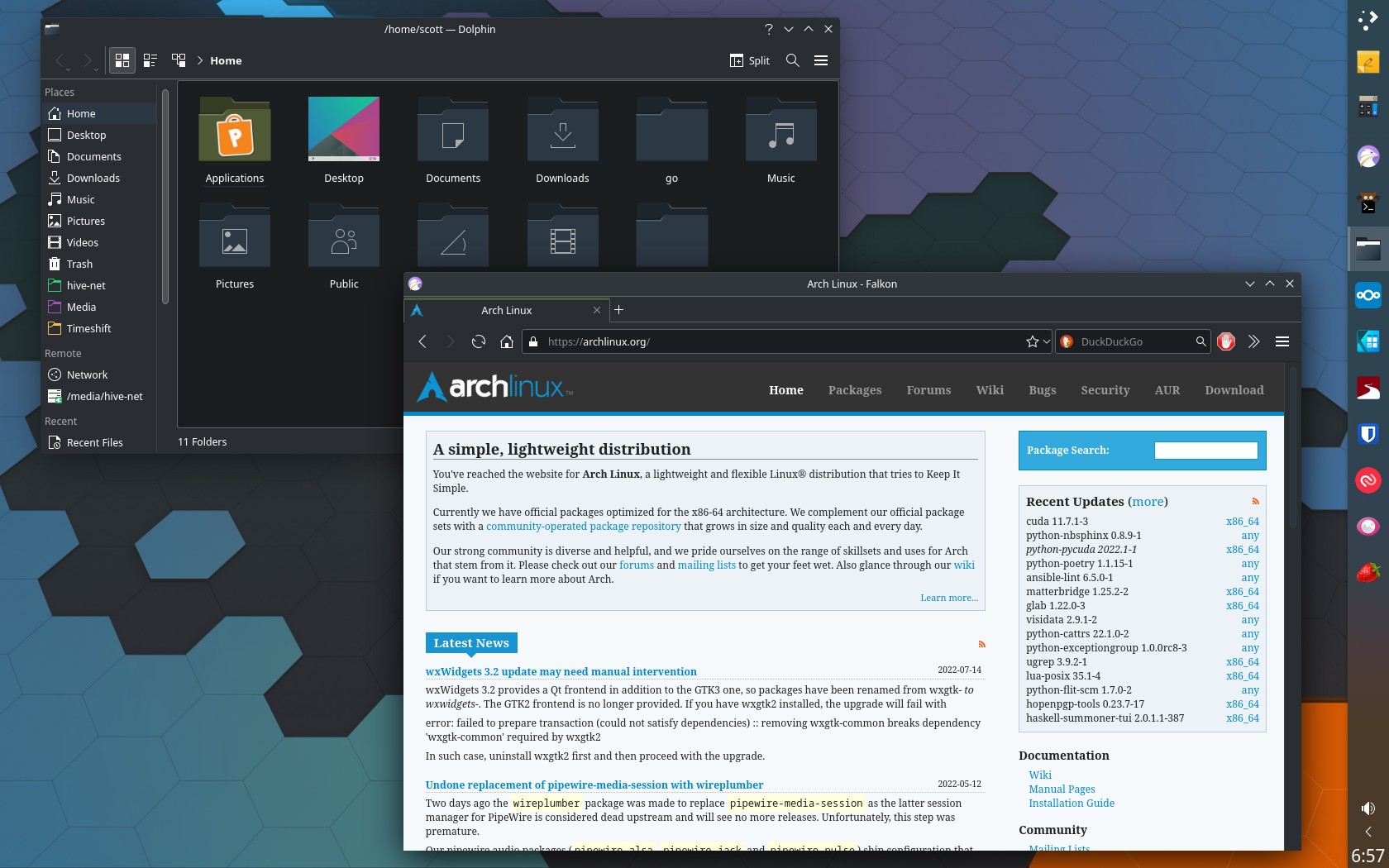
Arch Linux differs from many distros with its “keep it simple” philosophy. This distro may not be easy for a beginner to install or maintain, but it allows the user to have full control and understanding of what is going on with their system. Right from the install this distro requires terminal commands and some understanding of how Linux works—or at least a willingness to learn and work at it. The approach Arch uses means you get a distro that is exactly what you need and nothing more, making it one of the most performant distros on this list while keeping things simple.
Latest and greatest packages
Arch is a perfect example of a rolling release distribution. Arch tends to package new upstream releases very quickly, often within days and sometimes within hours of release. This means you get new features and bug fixes right away but also leads to more possibility of a bad update or a piece of software causing something to go wrong.
With great power comes great responsibility
Arch has a huge library of up-to-date software in its repositories but it also gives you access to the Arch User Repository (AUR). The AUR is a collection of software recipes that come from the community allowing you to install almost any piece of software giving Arch possibly the largest software selection of any distro. While the AUR is a powerful resource, it is not officially vetted by the Arch Linux project. The software recipes (PKGBUILDs) are submitted by community members, and there is no guarantee of quality or security. Recent attacks (as of June 2026) have seen malicious actors uploading compromised packages to the AUR, targeting unsuspecting users. Do not blindly use the AUR without reviewing the PKGBUILD and the associated files. If you are a beginner, it is highly recommended to stick to the official repositories until you are comfortable reviewing package sources yourself.
Best-in-class documentation
While Arch can be harder to use, it has one of the most extensive sets of documentation available in the form of the ArchWiki. The ArchWiki is extremely thorough and has answers to most questions you will come up with. In fact, many people who don’t even use Arch Linux use its wiki since the information is often transferable to other distros.
If you want a distro that is fast, lean, and proven, and you don’t mind some manual setup, go with Arch.
Pros
- Software is always up to date giving you the latest and greatest features
- You have full control in what software is installed making it an extremely lean system
- With a great wiki and a do-it-yourself style, you learn plenty about Linux
- Great software availability
Trade-offs
- Being a rolling release, your system is more likely to run into issues that you need to fix
- Installation is not easy without some Linux knowledge and command line experience
Other Notable Distros
Following, are my other go-to distros for more specialized use cases, unique workflows, or users looking for something just a bit different than my top five. Each of these options are worth exploring and offer their own unique and compelling features.
Pop!_OS

Founded: United States (2017)
Based on: Ubuntu
Desktop environment(s): COSMIC
Backed by: corporation (System76)
Release cycle: fixed release + rolling; 2 years (LTS version), 6 months (interim releases), rolling (COSMIC desktop)
Support: 5 years (LTS versions), 9 months (interim releases)
Homepage: https://pop.system76.com
Difficulty level: 🔵 ⚪ ⚪ ⚪ ⚪ (very beginner friendly)
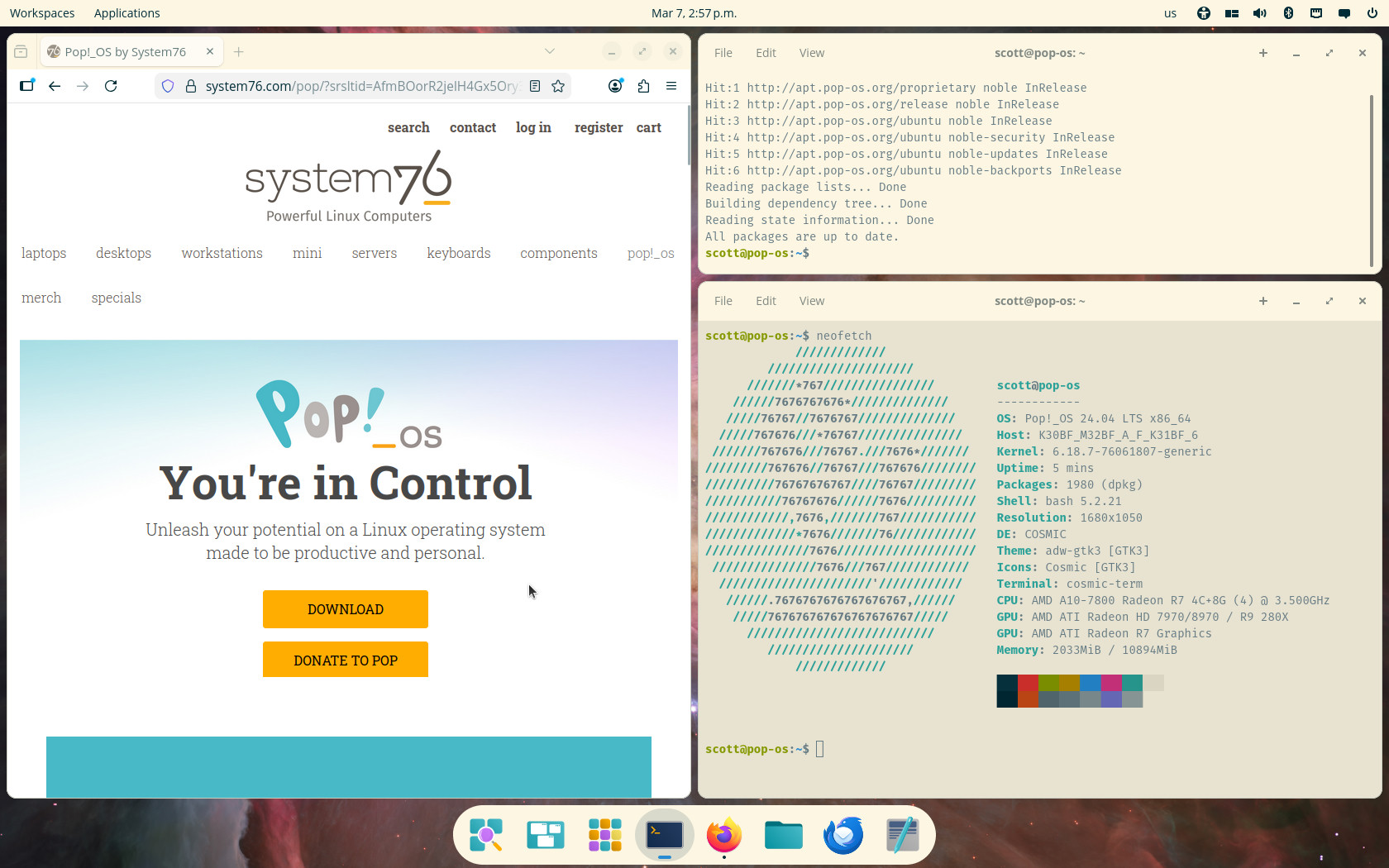
Pop!_OS is a carefully designed distro from Linux hardware manufacturer System76. It’s a powerful, user-friendly, and intuitive distro that gets out of your way and lets you focus on your work.
Launched by System76
Pop!_OS has a unique advantage—it’s created by a company that builds and sells Linux laptops and desktops. This means System76 develops Pop!_OS to ensure a premium experience on their own computers while still offering it freely to all users. Because their business depends on people loving their Linux experience, they invest heavily in user-facing features—such as the auto-tiling in their COSMIC desktop—that they then contribute back to the broader open-source ecosystem. It’s corporate backing with community benefit baked in.
COSMIC: boldly going where no desktop has gone before
Pop!_OS is the flagship distribution for System76’s new COSMIC desktop environment. Unlike other distros that customize existing DEs, System76 built COSMIC from the ground up in Rust. It features a clean, intuitive design with powerful, optional auto-tiling, excellent workspace management, and deep customization. Since COSMIC was developed with modern technologies in mind it is not held back by legacy software and systems.
Out-of-this-world NVIDIA support
One standout feature of Pop!_OS is how it handles graphics drivers, specifically NVIDIA. The distro offers a separate ISO download with NVIDIA drivers pre-installed and configured. It also includes a very capable graphics-switching feature for laptops with hybrid graphics, allowing you to switch between integrated and discrete GPUs without editing configuration files or rebooting—a massive convenience for gamers and power users. Pop!_OS takes this sometimes frustrating task and makes it simple.
Maximum thrust, clear controls
It is not easy for a distro to provide features that power users love while also being simple and intuitive. Pop!_OS manages to strike this balance perfectly. A new user can install the distro and get started immediately, not even noticing the extensive customizations underneath. An advanced user, on the other hand, can tailor every detail and leverage powerful features like tiling. Powerful and user friendly? Pop!_OS delivers both.
If you want a polished, modern, and thoughtfully designed Linux experience that is both simple and powerful, Pop!_OS is an outstanding choice.
Pros
- Polished and user-friendly experience
- Excellent NVIDIA driver support and graphics switching
- The new COSMIC desktop is innovative, fast, and highly customizable
- Rolling COSMIC updates on a stable Ubuntu base
Trade-offs
- Based on Ubuntu, so software can be slightly older than rolling-release distros
- The unique COSMIC desktop may have a slight learning curve for users of other DEs
- With the COSMIC desktop being so new, there will still likely be more bugs than a more established DE
Bazzite

Founded: United States (2023)
Based on: Fedora Atomic
Desktop environment(s): KDE Plasma and GNOME (desktop), Steam Gaming Mode (handheld/HTPC)
Backed by: community
Release cycle: rolling, following Fedora Atomic updates
Support: rolling
Homepage: https://bazzite.gg
Difficulty level: 🔵 🔵 ⚪ ⚪ ⚪ (beginner-friendly)
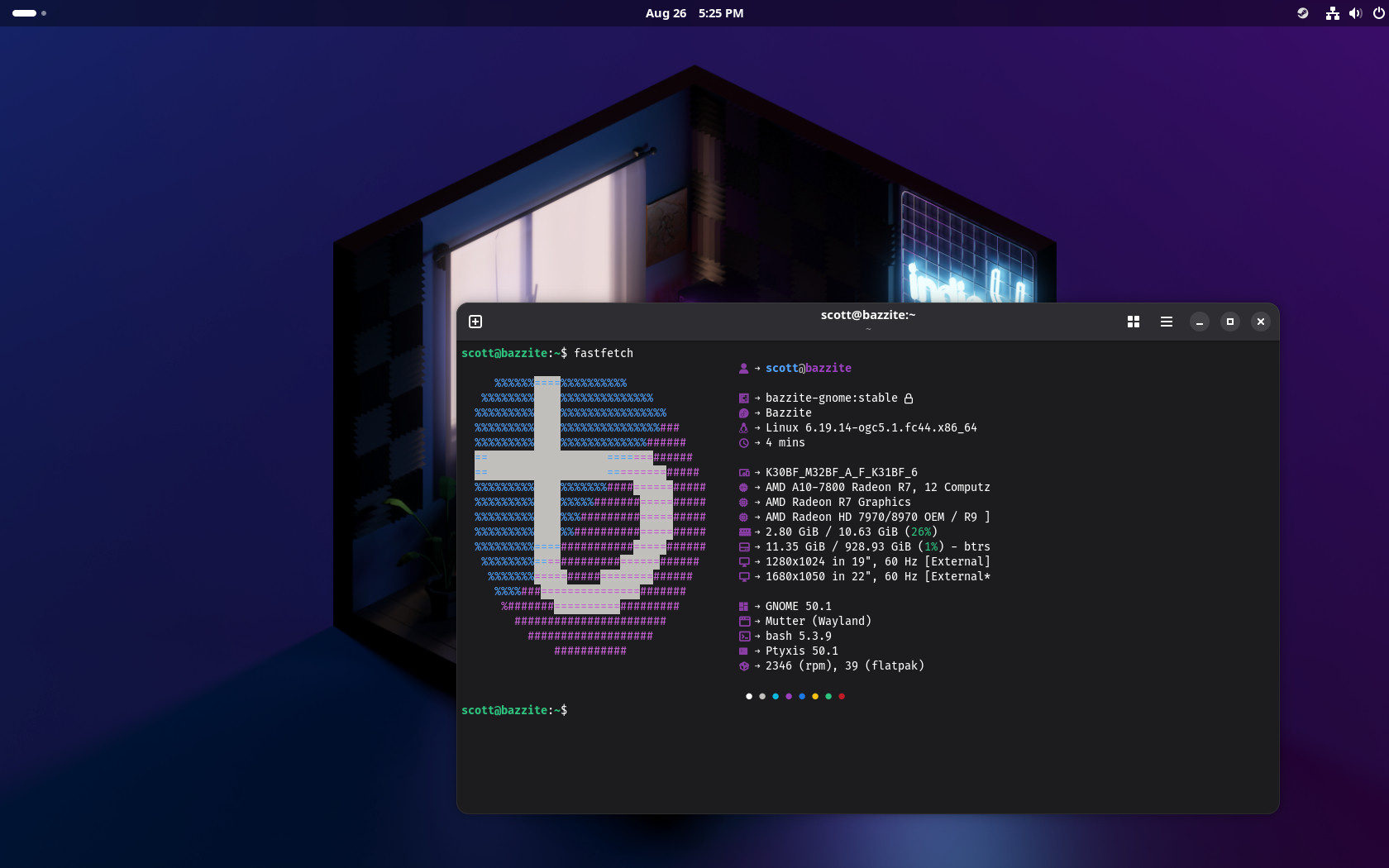
Bazzite is a gaming-focused, atomic distro based on Fedora. It takes the rock-solid base of Fedora Silverblue/Kinoite and pre-configures everything a gamer needs: NVIDIA drivers, Steam, Lutris, MangoHud, and handheld gaming optimizations.
Steam layered into the base
Unlike a standard Fedora Atomic setup where you might install Steam as a Flatpak, Bazzite layers Steam directly into the base system image. That gives it full access to graphics drivers, controllers, and system libraries—resulting in better performance, smoother input handling, and fewer sandboxing quirks. Because updates ship atomically with the OS image, the whole gaming stack is tested and updated as a single unit.
Gaming mode and handheld support
Bazzite can boot straight into a Steam Deck-like gaming mode, making it perfect for home theatre PCs and handhelds such as the Steam Deck. Desktop users can still choose a traditional KDE Plasma or GNOME session when they want a normal desktop.
Unbreakable and low-maintenance
Because Bazzite is built on Fedora Atomic, the base system is read-only, updates are atomic, and rollbacks are seamless. The core stays clean and reliable while applications can be installed as Flatpaks. For a gaming rig that should always be ready to play, that’s a huge advantage.
Trade-offs
The atomic model can frustrate users who want deep control over system packages. Some non-gaming software still assumes a traditional package manager, and can be a challenge to get working. But if gaming is the priority, Bazzite removes more setup and ongoing maintenance than almost any other option.
If you want a console-like Linux gaming experience with an unbreakable core, Bazzite is one of the best options available.
Pros
- Gaming tools and drivers are pre-configured
- Steam layered into the base for native performance and integration
- Atomic updates and rollbacks make the system hard to break
- Excellent handheld and HTPC support
Trade-offs
- Atomic base can limit deep system customization
- Less suited to general-purpose or non-gaming workflows
- Smaller community than mainstream desktop distros
MX Linux

Founded: Greece, United States (2014)
Based on: Debian
Desktop environment(s): Xfce (flagship), KDE Plasma, Fluxbox
Backed by: community
Release cycle: fixed release; 2 years
Support: 5 years
Homepage: https://mxlinux.org
Difficulty level: 🔵 🔵 🔵 ⚪ ⚪ (intermediate)
MX Linux takes Debian—one of the most reliable bases in the Linux world—and adds a layer of thoughtful tools, a fresh kernel option (AHS), and an exceptionally welcoming community. The result is a distribution that feels both reassuringly solid and surprisingly modern.
MX Tools: the secret sauce
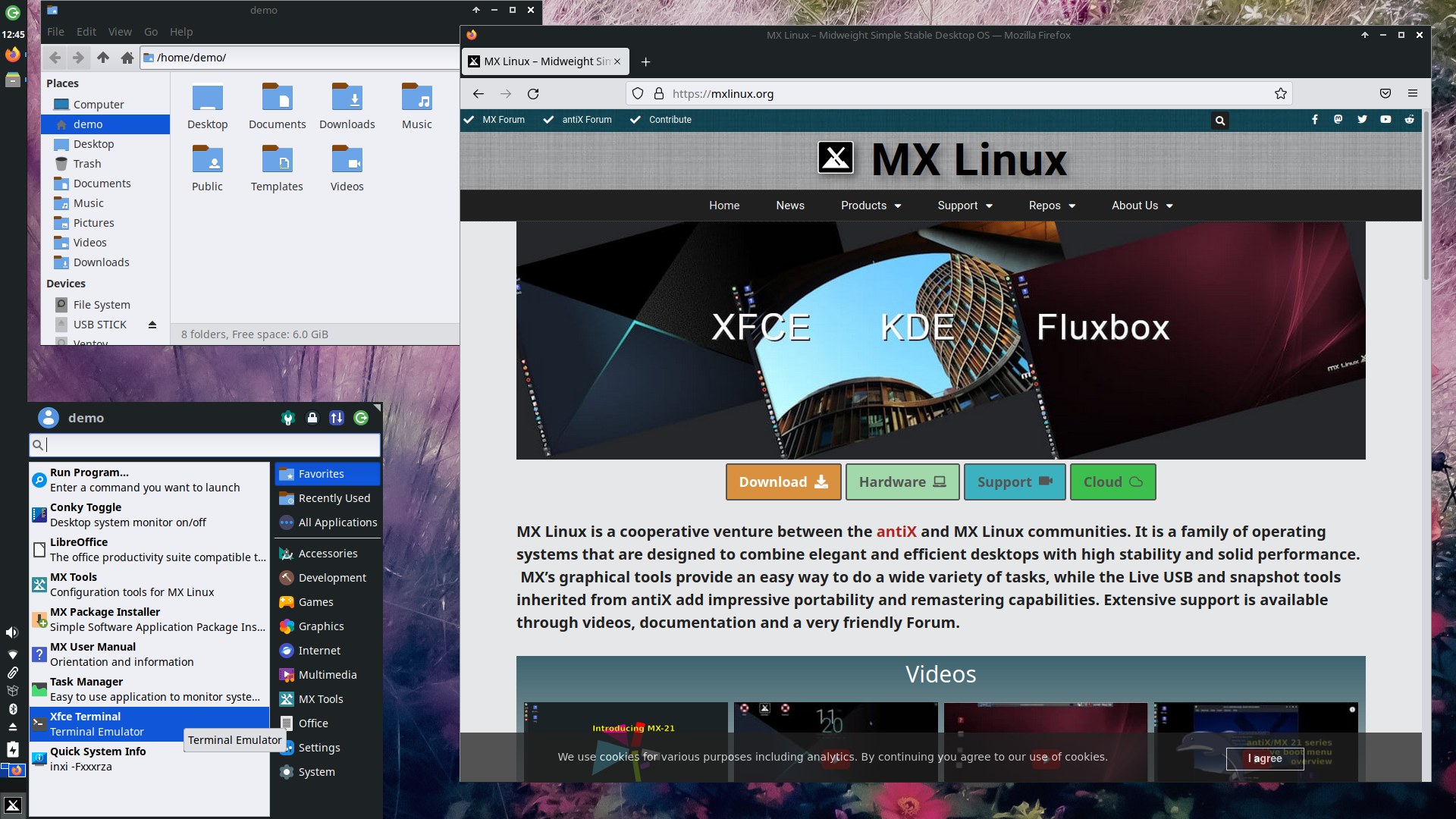
The headline feature is the collection of MX Tools. These graphical utilities take tasks that often require terminal commands—managing repositories, creating a bootable live USB of your running system, repairing boot problems, configuring hardware—and give them a simple graphical interface. For a newcomer or anyone who’d rather use a quick easy tool than long terminal commands, these tools are truly useful.
Stable base, fresh kernel when you need it
Because MX is built on Debian, packages are thoroughly tested and rarely break. But the AHS (Advanced Hardware Support) edition ships with a much newer high performance kernel (Liquorix) and graphics stack, making it an excellent choice for users with recent hardware who still want Debian’s stability. It’s the best of both worlds—a system that won’t surprise you, but still runs smoothly on modern machines.
KDE or Xfce, done right
The flagship Xfce edition is lightweight, highly customizable, and feels faster than many other Xfce implementations. The KDE Plasma edition offers a richer, more modern desktop experience, and MX configures it with care—this isn’t just KDE dropped onto Debian; it’s polished and ready to use. Both editions ship with a clean layout that is intuitive and comfortable.
A community that cares
MX has a famously friendly forum and some of the best documentation in the Linux world—including a detailed, illustrated manual that walks you through virtually every aspect of the system. The user base is large enough that most questions already have answers, but small enough that it remains friendly. It’s the kind of distro where beginners can feel genuinely supported, not just tolerated.
If you want a stable system that’s easy to install, easy to maintain, and easy to use, MX Linux is one of the very best options available.
Pros
- Exceptional graphical tools (MX Tools) that simplify system management
- AHS edition provides a recent kernel on a stable Debian base
- Beginner friendly; great documentation and community
- Clean, well configured desktop environments
Trade-offs
- Based on Debian, so some packages are older than cutting edge distros
- Upgrades between major versions require a full reinstall
- While flatpak support is enabled out of the box, there is no clear update mechanism without the terminal
Gentoo

Founded: United States (2002)
Based on: independent
Desktop environment(s): most available
Backed by: community
Release cycle: rolling
Support: rolling
Homepage: https://www.gentoo.org/
Difficulty level: 🔵 🔵 🔵 🔵 🔵 (expert)
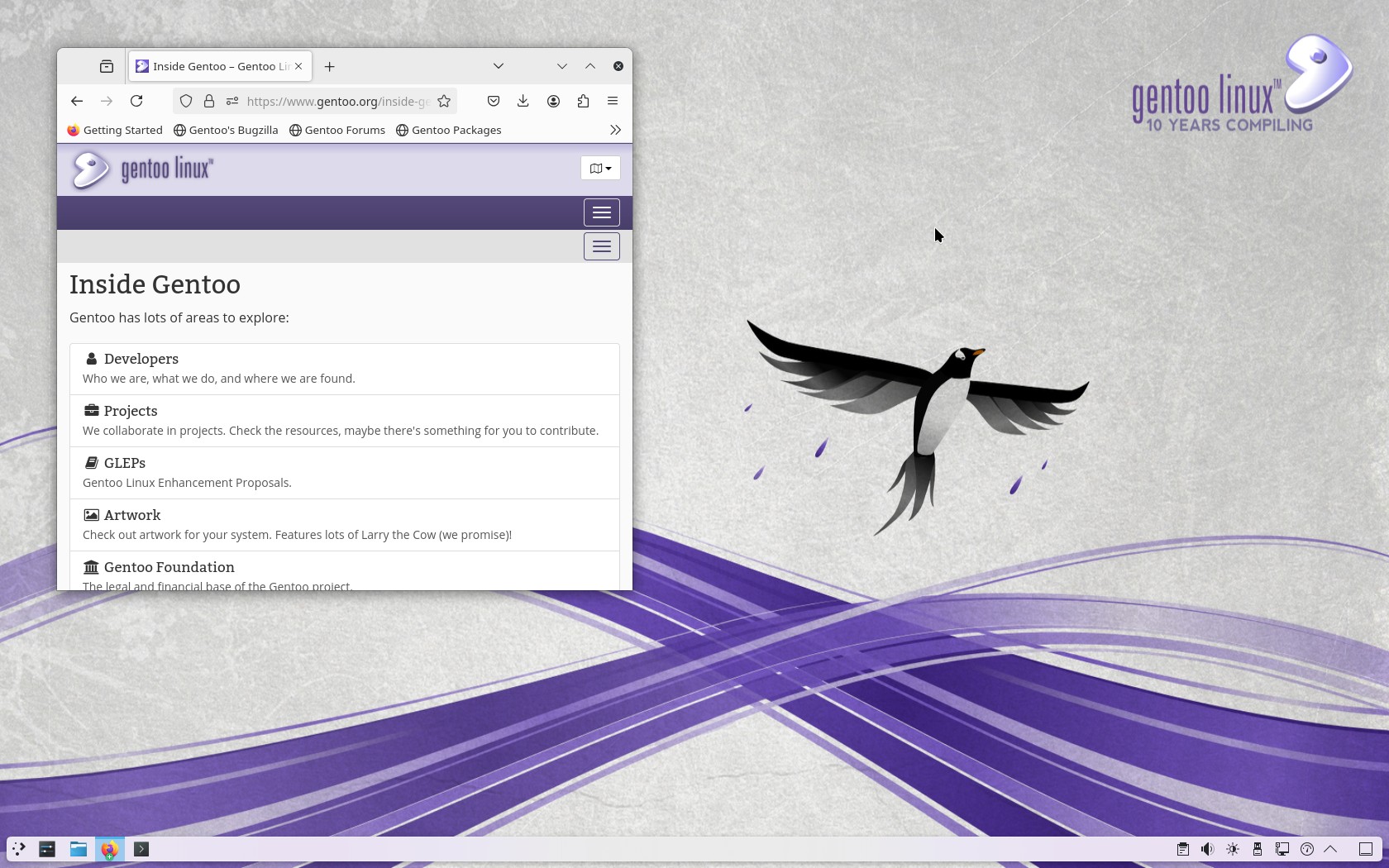
Gentoo is an old distro and one of the most used source-based distros. While it is an excellent Linux distribution, I definitely do not recommend it for beginners.
“May the source be with you."
Gentoo is different from the other distros on this list in that it is what is called a source-based distribution instead of a binary-based distribution. This means that instead of installing already built packages, Gentoo builds packages from their source code.
The main advantage to this is that you have more control in what features are included in packages and have the ability to more easily customize your system—you have full control.
The main trade-off that comes along with this is installation and updating of packages takes considerably longer and the level of expertise required to get the most out of a source-based distro is considerable.
“Help me, Gentoo Handbook; you’re my only hope."
Gentoo has one of the most detailed and comprehensive wikis in the Linux world. While installing and administering your system can be a challenge with Gentoo, their excellent documentation is with you each step of the way. Like the ArchWiki, the Gentoo Handbook is so thorough that it is often referred to by users on completely different Linux distros. Use Gentoo or not, this is a valuable resource.
“This is the way."
If you want speed and optimization this is the way to do it, install Gentoo. Because of its optimizations and custom built nature, Gentoo really is capable of being one of the most performance distributions you can use. From its beginnings it was built to be both flexible and fast; it is, after all, named after the fastest swimming penguin in the world, the gentoo penguin.
If you’re willing to put in the work and learn and don’t mind updates taking longer, this distro is a superb choice.
Pros
- Fast and highly configurable
- Excellent documentation
- Peak performance
Trade-offs
- Not easy to install or administer
- Installation and updates can take a long time
Why aren’t Ubuntu, openSUSE, or Zorin on this list?
You might be wondering why some well‑known distributions didn’t make the cut. I evaluated many of them seriously, and my reasons range from philosophical differences to simple redundancy.
The last post in this series explains many exclusions:
➤ The Cuts: Excluded Distros I Left Out (And Why)
Top Picks for Specific Users and Use Cases
For quick reference I have included my top picks for different categories of users and use cases with a deep dive into each distro below.
Beginners
If you are a beginner and want a hassle-free distro that will “just work” out of the box with minimal configuration required, these are my top picks:
- Linux Mint — familiar, stable, easy
- Solus — a modern, beginner-friendly rolling-release option
- Pop!_OS — a modern desktop and workflow for beginners and power users
- Bazzite — makes gaming setup a breeze
Intermediate users
If you have used Linux before or are tech savvy and want a little bit more from your distro, these are my picks for you:
- Fedora Atomic Desktops — atomic and unbreakable
- Debian — the universal OS for those who value stability
- MX Linux — stability, documentation, community
Experts
If you know Linux and are ready for more of a challenge or you have the time to spend on really learning something new, these distros would be fantastic options:
- Arch Linux — complete control and bleeding-edge packages
- Gentoo — for ultimate source-based customization and performance
Gaming
If gaming is a priority, you’ll want solid driver support (especially for NVIDIA), a recent kernel and graphics stack, and easy access to Steam, Lutris, and Proton. These picks fit the bill.
- Bazzite — Steam and Lutris preinstalled, graphics drivers preconfigured, tweaked for gaming performance. The closest thing to plug‑and‑play gaming on Linux.
- Solus — ships a very current kernel and graphics stack giving you a system with all the new performance improvements without needing to be an expert.
- Arch Linux — bleeding‑edge updates mean you get new drivers and Proton improvements immediately. Best for experienced users who want full control.
Developers and Tinkerers
If you write code, manage servers, or just enjoy exploring how your system works, you’ll want a distro that gets out of your way while giving you access to the freshest tools and clean, reproducible environments.
- Fedora Atomic Desktops — an atomic base with Toolbx for clean, disposable dev environments. Unbreakable updates and effortless rollbacks make it perfect for daily development without worry.
- Arch Linux — bleeding‑edge toolchains and the AUR mean almost any language, library, or tool is available immediately. The ArchWiki is the best developer documentation on the web.
- Gentoo — source-based package manager offering ultimate control, performance, and customization. You decide exactly how your system is built.
Whichever distribution you choose, it’s important to remember that Linux is very powerful and very customizable so you can take any of these distros and adjust them to your needs. Your best bet is to try some of these options out, experiment, learn, and most importantly have fun!
Want a Hand With Your Setup?
Choosing a distro is step one—getting everything running smoothly and keeping it that way is another story. I help people build, secure, and maintain Linux systems that are private, sustainable, and truly their own.
Take a look at my support plans →
This post is part of a series on Choosing a Linux Distro:
- Which Desktop Environment?
- Rolling or Fixed Release?
- Community-Based or Corporate-Backed?
- Which Distro?
- Mobile Edition
- Server Edition
- The Cuts
Next in the series ➤➤ Mobile Edition